Skip to content


Share or relist? That’s the question every seller ends up asking once sales slow down on Poshmark.
You’re left staring at a Poshmark closet full of good items that just aren’t selling, so you do what everyone tells you to do: share more. But what if sharing isn’t actually the fix your listing needs?
In 2026, Poshmark’s algorithm works completely differently from just a couple of years ago.
Sharing still matters, but it’s no longer the golden ticket to the top of the feed. Relisting items on Poshmark can do wonders, but if you do it wrong, it can get your listings flagged as well.
So, today we’ll be discussing what actually moves your Poshmark listings up: share or relist.
What Sharing Does to Your Poshmark Listings in 2026?
Sharing still has a job to do on Poshmark. It refreshes your listing’s timestamp and moves it back up in the “Just Shared” search filter.
It also signals to Poshmark that your Posh closet is active. Inactive Poshmark sellers lose visibility over time, so steady daily activity like sharing keeps your items in front of buyers.
But sharing alone can’t fix a weak listing. A listing with a poorly written title or description won’t rank well on Poshmark no matter how many times you share it.
The sweet spot for most Poshmark sellers is sharing their closet two to three times a day at peak hours. This will keep their listings active and visible.
If manual sharing eats up too much of your day, you can use the Poshmark bot by Sidekick Tools that automates tasks like sharing, relisting, crosslisting, following, and sending offers to likers on Poshmark.
What Relisting Does to Your Poshmark Listings in 2026?
Relisting gives your old Poshmark listing that neither got any likes nor a sale in a while a true fresh start.
When you delete and relist an item on Poshmark, Poshmark treats it as a new listing and gives it a temporary boost in “Just In” search results.
This works best for items that have sat for weeks with little to no engagement. A genuine reset can put a forgotten item back in Poshmark feeds.
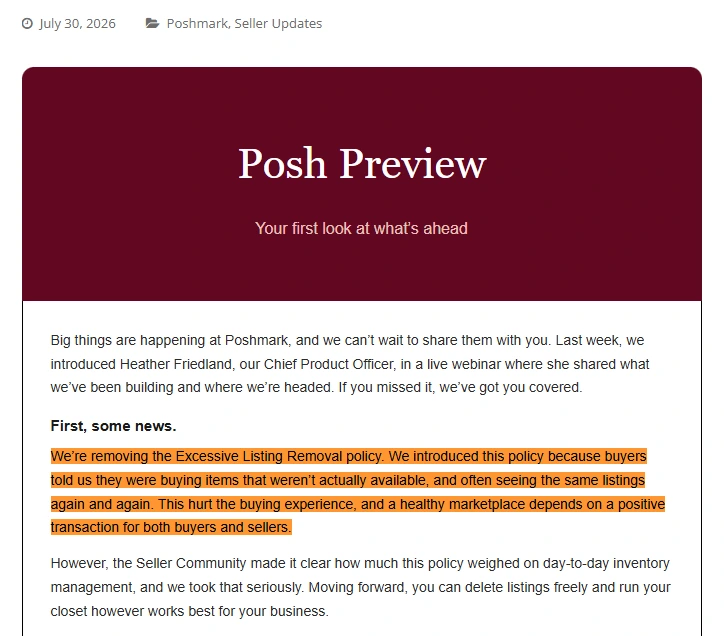
In May, 2025, Poshmark announced its excessive listing removal policy to crack down hard on relisting abuse. Poshmark started flagging accounts that repeatedly delete and relist the same listings.
According to Poshmark’s excessive listing removal policy, repeatedly removing and relisting similar items, along with mass listing removals, is a prohibited behavior.
However, on July 23, 2026, Poshmark announced that it is discontinuing the excessive listing removal policy.
Share or Relist: What Moves Your Poshmark Listings Up?
The honest answer is that it depends on the Poshmark listing’s age and history. Here’s how to break it down.
Choose Sharing When:
The listing is under 30 days old. Poshmark still treats it as a relatively fresh item. Deleting and relisting it too early won’t make much difference, so sharing is the better move.
It already has likes, comments, or recent views. These are signs of real buyer interest. Relisting would wipe that engagement history clean, so sharing preserves the momentum you’ve already built instead of starting from zero.
You just want a quick visibility bump. Maybe you’re heading into a busy shopping weekend, or you noticed a similar item just sold. A share takes seconds and puts your listing back on top of the “Just Shared” sort right when buyers are browsing.
Choose Relisting When:
The item is 30 or more days old with no activity. At this point, sharing alone probably isn’t going to change anything. A true relist resets the listing’s age and gives it a shot at Poshmark’s “Just In” feed, where buyers actively hunt for fresh finds.
You want to significantly update the photos, title, or description. If the original listing was rushed, poorly lit, or missing key details like measurements or brand keywords, a full relist lets you rebuild it properly instead of patching around old mistakes.
The listing has zero likes after weeks of consistent sharing. This is the clearest signal that something about the listing itself isn’t working, not the sharing frequency. No amount of extra shares will fix a listing buyers aren’t responding to.