 Skip to content





Bulk listing
The bulk listing tool for your whole inventory
Edit prices, titles and descriptions across many listings at once, then crosslist, delist and relist them on 7 marketplaces from one inventory in the Sidekick Tools app.
No credit card required. Android, iOS and web.




Get the app on iPhone, Android or the web
Supported marketplaces







How it works
How bulk listing works in Sidekick Tools
Inventory
Every listing in one inventory.
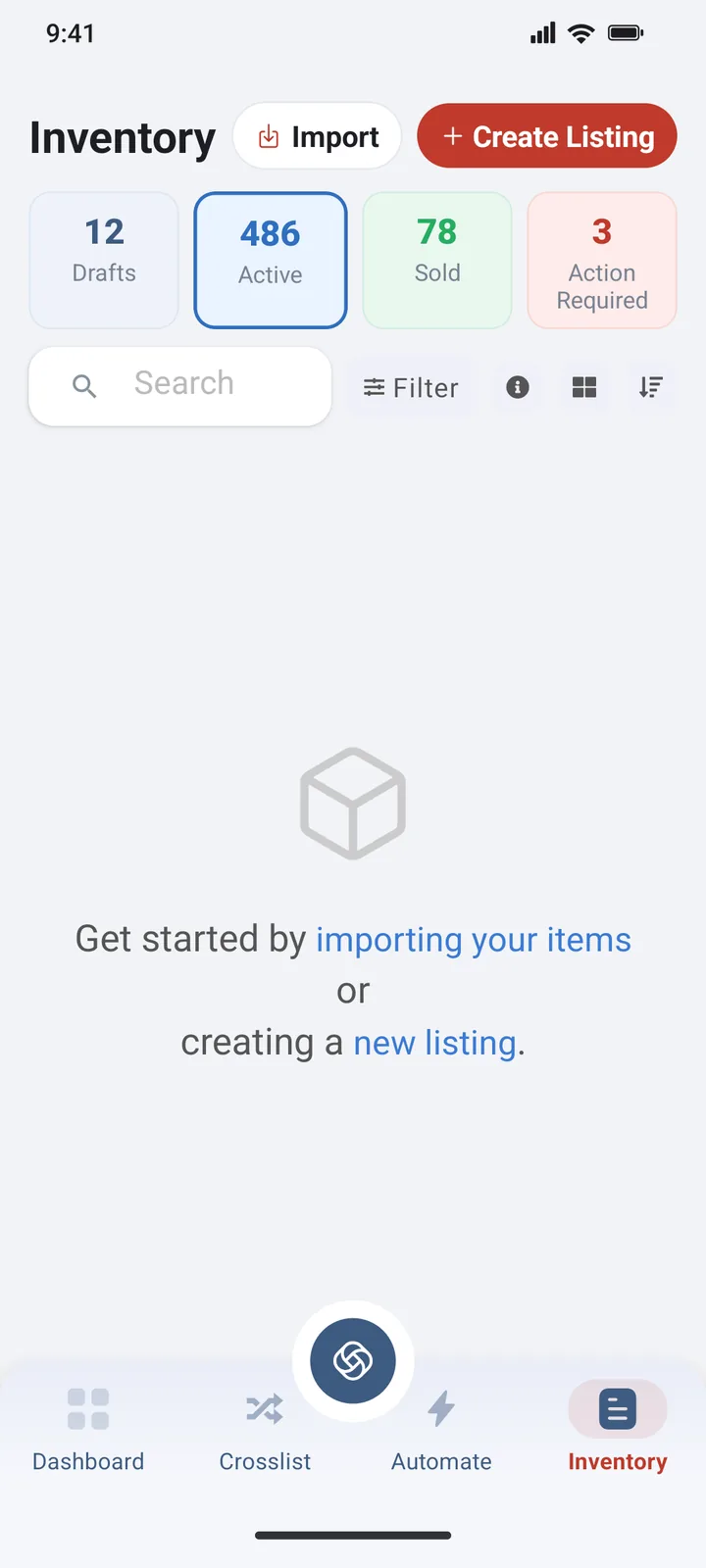
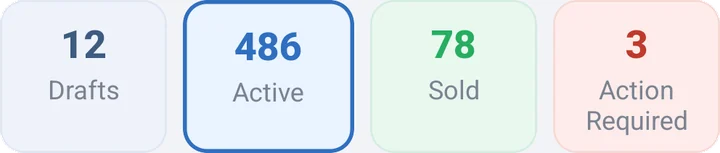
The Inventory tab counts your Drafts, Active, Sold and Action Required listings. Search, filters, sorting and a grid view help you find the batch you want to work on.

Inventory
Import what you already listed.
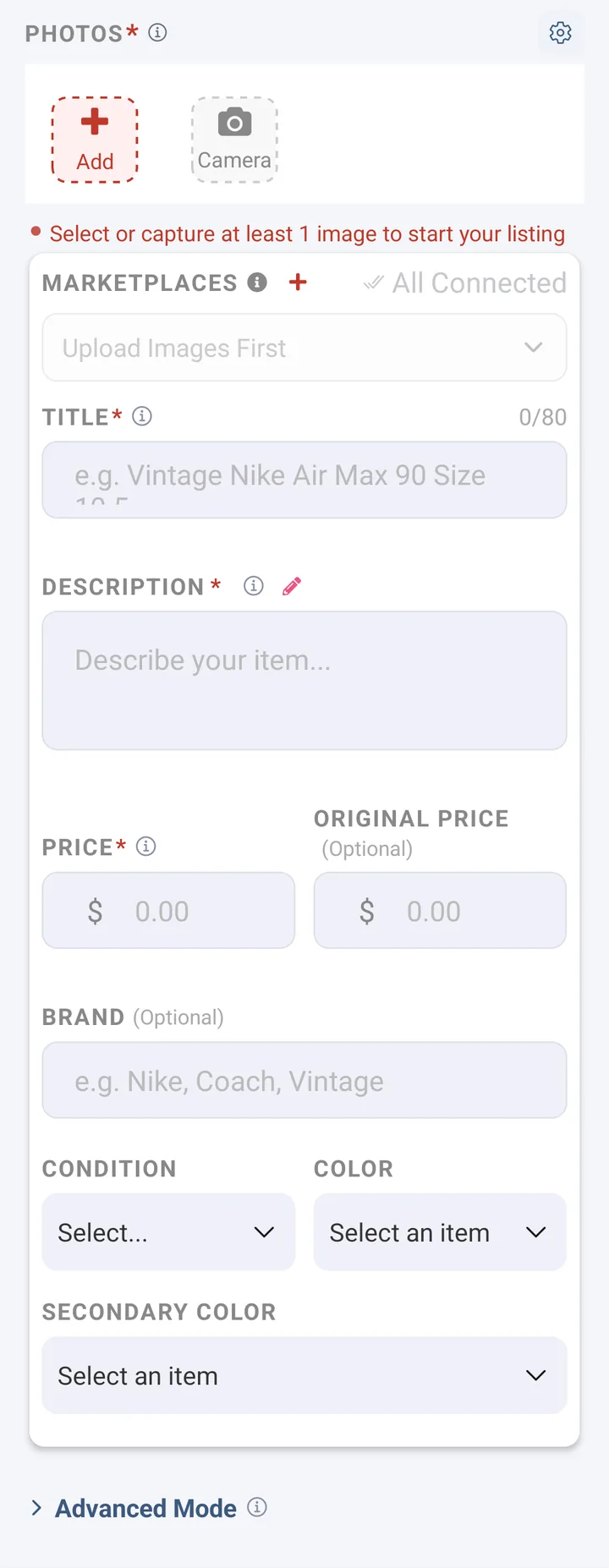
Tap Import to pull in listings you already have on a connected marketplace, instead of building them again. New items start from Create Listing.
- Listings imported
- Listings imported
Bulk edit
Change many listings at once.
The bulk editor with SmartFill changes prices, titles and descriptions across many listings in one pass, instead of opening each one in Create Listing.
- Prices updated
- Titles updated
Crosslist
Crosslist a batch to 7 marketplaces.
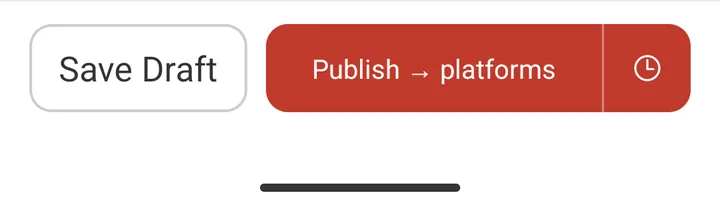
Items waiting to go out sit in Ready to Crosslist, next to Crosslisting Logs. Publish the batch to all 7 marketplaces.
- Listed on Poshmark
- Listed on Mercari
- Listed on eBay
- Listed on Depop
- Listed on Whatnot
- Listed on Etsy
- Listed on Grailed
Crosslist
Delist and relist without the busywork.
When an item sells, Sidekick Tools delists it from your other marketplaces. Older items can be relisted in bulk, and the Monthly Crosslists card splits your count into crosslisting and relisting.
- Sold on Depop
- Delisted on the other 6
Photos
Clean up a whole batch of photos.
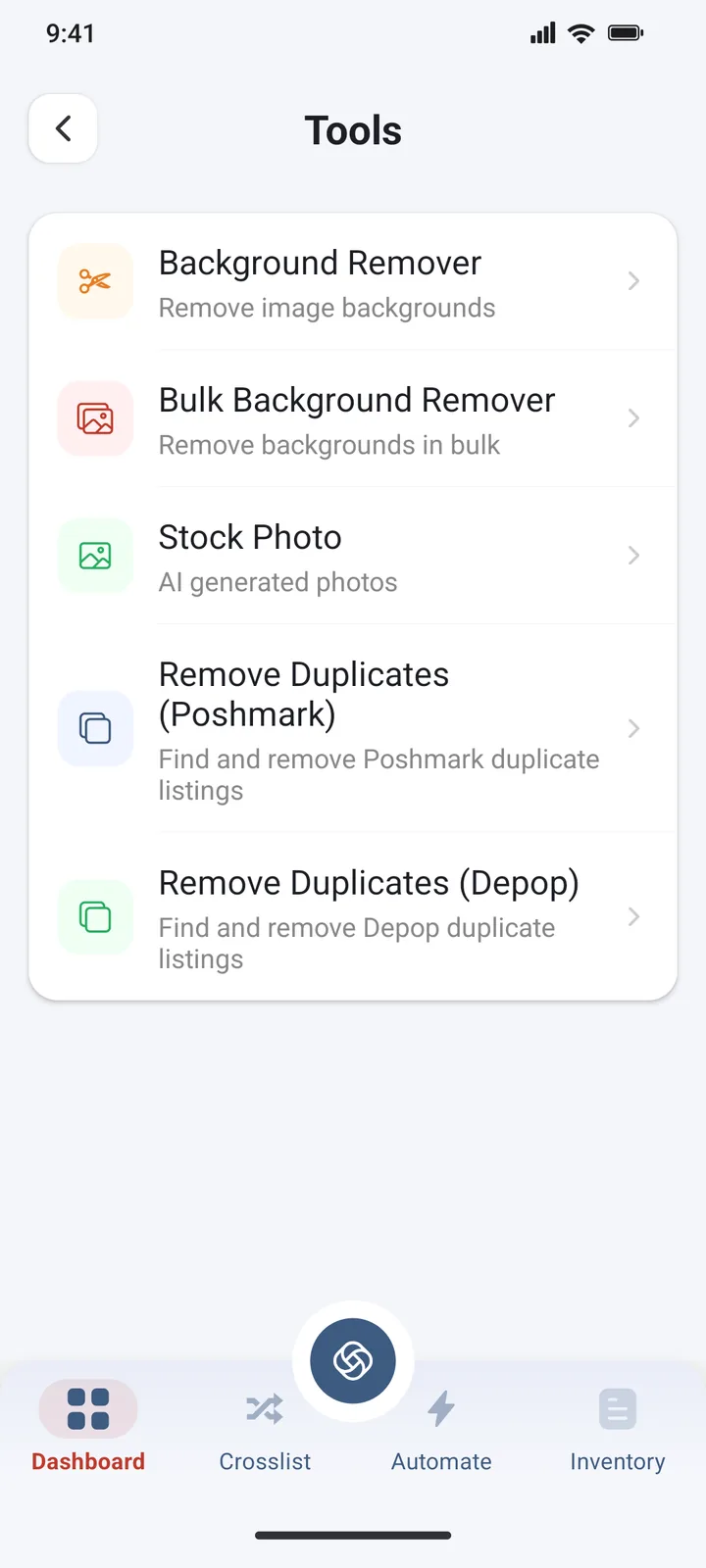
Bulk Background Remover removes the backgrounds from many photos at once. Remove Duplicates finds and removes duplicate listings on Poshmark and Depop.






Bulk listing
What is a bulk listing tool?
A bulk listing tool lets you edit, publish or remove many listings in one action instead of opening them one at a time. For a reseller with hundreds of items on several marketplaces, that is the difference between a quick price change and an evening of clicking.
Sidekick Tools does four bulk jobs: bulk edit, bulk crosslist, bulk delist and bulk relist. The bulk editor with SmartFill changes prices, titles and descriptions across many listings at once, and the crosslister publishes a batch to Poshmark, eBay, Mercari, Depop, Whatnot, Etsy and Grailed.
Everything starts from one inventory. Import what you already have on a connected marketplace, or create new listings, and the Inventory tab keeps count of drafts, active, sold and action required items.
When something sells, auto delist pulls the other copies down, so a bigger inventory does not mean more double sales. See how crosslisting works on the cross posting tool page, or compare plan limits on pricing.
Why bulk
One at a time vs in bulk
Same work, done once per batch.
One listing at a time
- Open every listing to change one price
- Copy each item to each marketplace by hand
- Remember to pull duplicates down after a sale
- Edit photos one by one
In bulk with Sidekick Tools
- SmartFill updates prices, titles and descriptions across many listings
- Bulk crosslist sends a batch to 7 marketplaces
- Auto delist removes the other copies when an item sells
- Bulk Background Remover cleans a batch of photos at once
What it does
Bulk tools in Sidekick Tools
Edit, crosslist, delist and relist in batches, with the inventory and photo tools that support them.
Bulk edit
Change prices, titles and descriptions across many listings at once with SmartFill.

Bulk crosslist
Publish a batch of listings to all 7 marketplaces at once.
Bulk delist
Take many items down at once, and let auto delist remove sold items from your other marketplaces.
Bulk relist
Bring older items back as fresh listings in batches, so they reach buyers again.
Import
Pull in listings you already have on a connected marketplace instead of rebuilding them.
Bulk Background Remover
Remove the backgrounds from many photos in one go.

Remove Duplicates
Find and remove duplicate listings on Poshmark and Depop.

Plan limits
How many listings can I crosslist each month?
Every plan includes the bulk editing tools. The plans differ in how many cross posts you get.
| Plan | Price a month | Cross posts | Bulk editing tools |
|---|---|---|---|
| Cross Posting Basic | $9.99 | 100 | |
| Cross Posting Silver | $19.99 | 250 | |
| Cross Posting Gold | $29.99 | 500 | |
| Cross Posting Enterprise | $44.99 | 1,000 | |
| Automation Basic | $29.99 | 50 | |
| Automation Silver | $49.99 | 150 | |
| Automation Gold | $59.99 | 250 |
From the pricing page on . Every plan crosslists to all 7 marketplaces and includes relisting at 20 a day. The cross post limit resets with each billing cycle.
Customer reviews
Resellers love it. Hands down.
4.6on Google Play, from 964 ratings
Real reviews from resellers on Trustpilot and Google Play.
It has made crosslisting a breeze. I love the charts, stats, sale notifications and everything about this app. Service when I have a problem is very fast, usually within 30 minutes.
Sidekick Tools has changed my reseller game. It's made it so much easier to list items efficiently in much less time. Definitely doubled my profits monthly.
Stands head and shoulders above its supposed competition. I use it every day and am a huge fan. Plus, if there ever is a question they are extremely responsive. Love it!
This app has boosted my sales by 50%. I have little to no problems crosslisting. It's a great app!
Get started
Start bulk listing in three steps
Connect your stores
Sign in to Sidekick Tools and connect the marketplaces you sell on.
Import or create
Import your existing listings into Inventory, or build new ones in Create Listing.
Edit and crosslist in bulk
Use SmartFill to update a batch, then crosslist it to the marketplaces you pick.
What is a bulk listing tool?
A bulk listing tool lets you edit, publish or remove many listings in one action instead of one at a time. Sidekick Tools bulk edits prices, titles and descriptions, and bulk crosslists, delists and relists across 7 marketplaces.
Can I bulk edit prices on Poshmark, eBay and Mercari?
Yes. The bulk listing editor with SmartFill updates prices, titles and descriptions across many listings at once. Sidekick Tools works with Poshmark, eBay, Mercari, Depop, Whatnot, Etsy and Grailed.
Can I bulk delist items?
Yes. You can delist items in bulk, and when an item sells, auto delist removes it from your other connected marketplaces so it cannot sell twice.
How many listings can I crosslist a month?
Crosslisting plans include 100, 250, 500 or 1,000 cross posts a month, from $9.99 to $44.99. Automation plans include 50, 150 or 250 crosslists. The limit resets with each billing cycle.
Can I import listings I already have?
Yes. Use Import in the Inventory or Crosslist tab to pull in listings from a connected marketplace, then edit or crosslist them in bulk.
Can I remove photo backgrounds in bulk?
Yes. Bulk Background Remover in the Tools screen removes backgrounds from many photos at once. The pricing page lists 200 bulk image background removals on the Silver automation plan and 400 on Gold.
Is there a free trial?
Yes. Every plan starts with a free 7-day trial with no credit card required, and bulk editing tools are included in every plan.
Does it work on iPhone, Android and a computer?
Yes. Sidekick Tools runs on iPhone, Android and in any web browser at app.poshsidekick.com.
One app
Works with the rest of Sidekick Tools
- Cross Posting ToolList once and publish to 7 marketplaces.
- Relisting ToolAuto relist on all 7 marketplaces.
- Stock Photo CreatorAI on-model photos from your flat lay shots.
- eBay Automation ToolsOffers to watchers and auto relist on eBay.
- Poshmark BotSharing, follows, offers and relisting for your Poshmark closets.
- Mercari BotOffers to likers and auto relist on Mercari.
Edit and crosslist your inventory in batches.
Bulk edit, crosslist, delist and relist on 7 marketplaces. Start your free 7-day trial today. No credit card required.