 Skip to content





Auto Relist
The relisting tool that brings old listings back as new
Sidekick Tools relists aged items on Poshmark, Mercari, eBay, Depop, Whatnot, Etsy and Grailed, so buyers browsing new listings see them again. You set the rules, and it runs on our servers.
No credit card required. Android, iOS and web.





Get the app on iPhone, Android or the web
Supported marketplaces







How it works
How the Sidekick Tools relisting tool works
Auto Relist
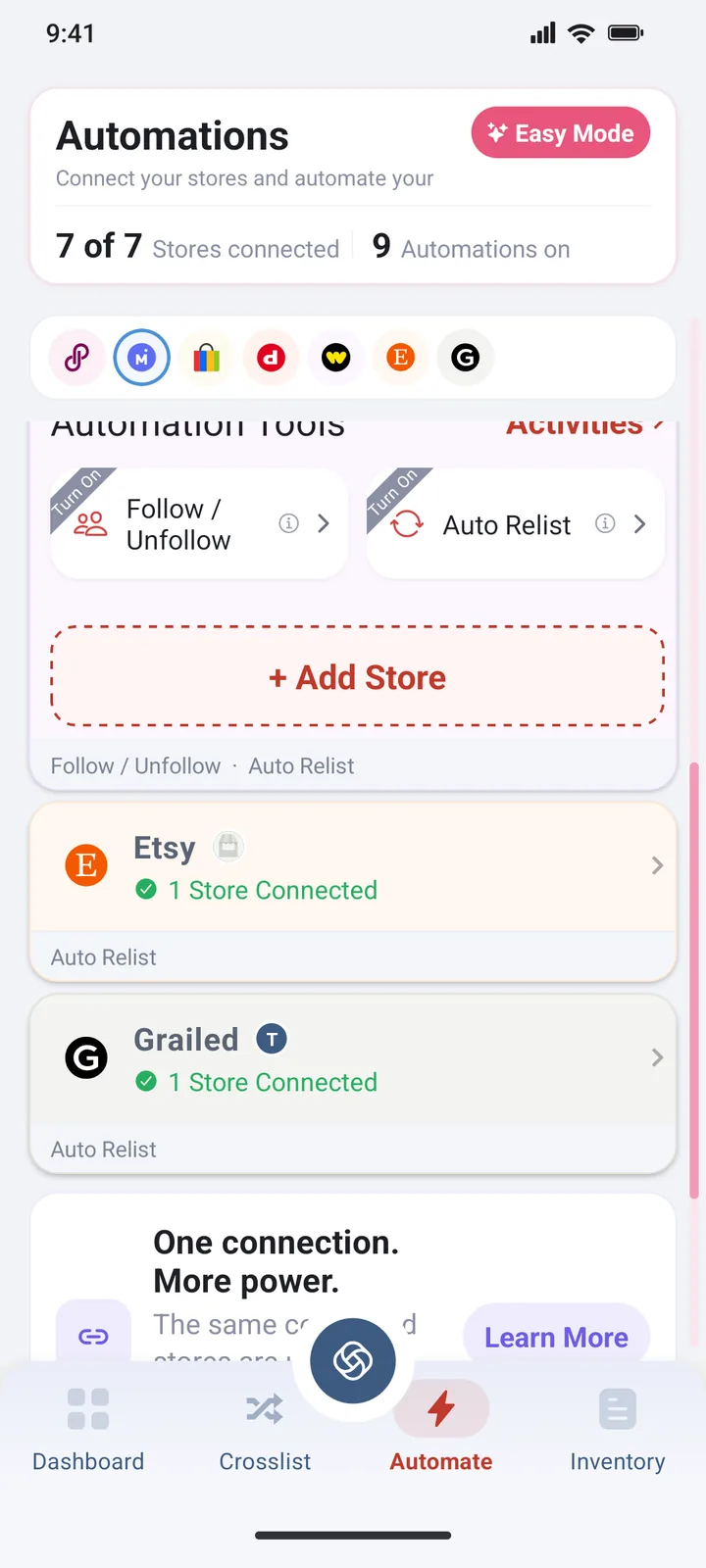
Auto Relist on all 7 marketplaces.
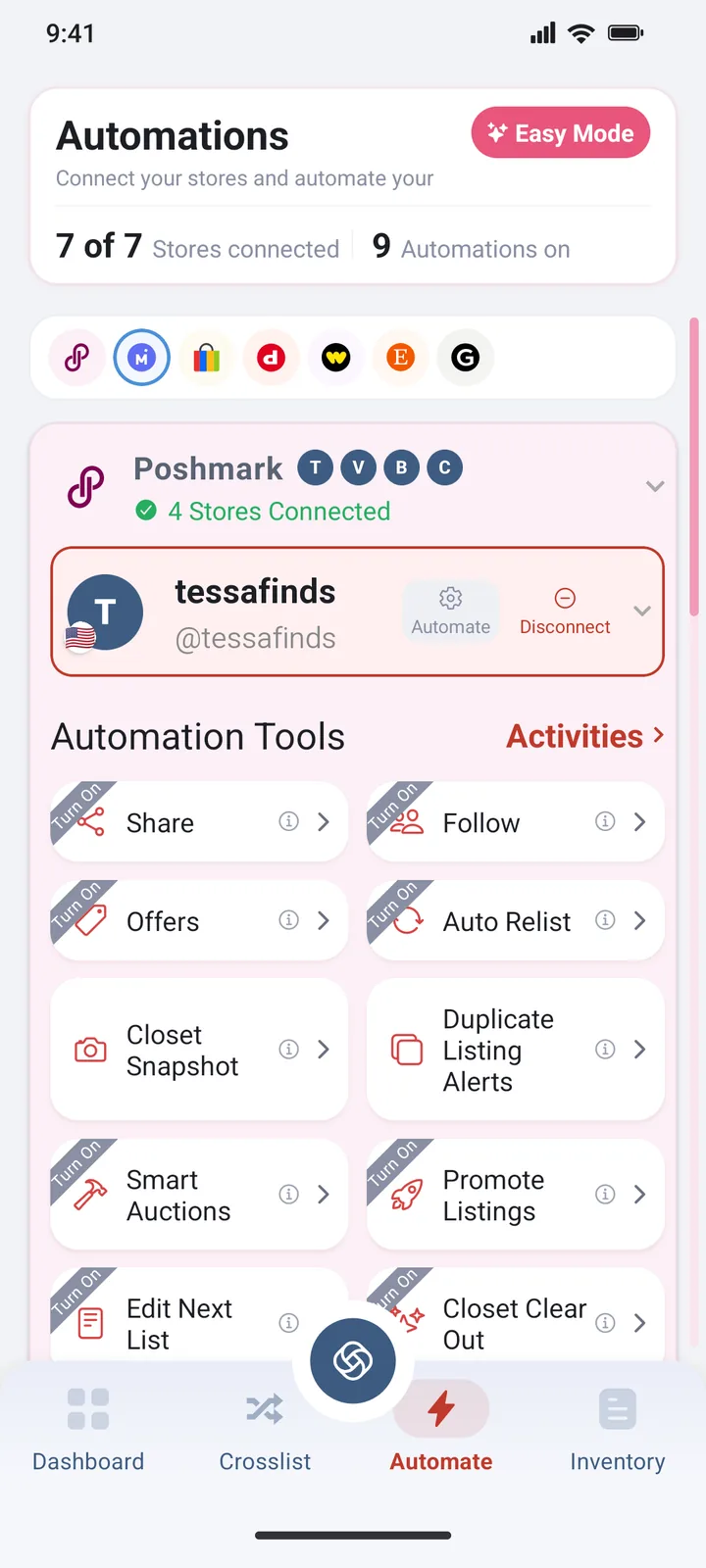
Every marketplace card on the Automations screen has Auto Relist. Turn it on for each store you sell on.
- Relisted on Poshmark
- Relisted on Mercari
- Relisted on eBay
- Relisted on Depop
- Relisted on Whatnot
- Relisted on Etsy
- Relisted on Grailed
Auto Relist
Etsy and Grailed too.
Etsy and Grailed stores get Auto Relist next to Depop and Whatnot, so older items on every marketplace come back as new.
- Relisted on Etsy
- Relisted on Grailed
Your rules
Poshmark: back in the Just In feed.
A relisted Poshmark item goes back into the Just In feed, where shoppers look for new listings. Duplicate detection keeps doubles out, and you can skip items you want left alone.
- Relisted on Poshmark
Your rules
Whatnot: relist on your schedule.
Relist only items older than 15, 30 or 60 days, cap relists with a daily limit and spread them over time slots. Items with bookmarks can be skipped, so you keep that buyer interest.
- Relisted on Whatnot
Results
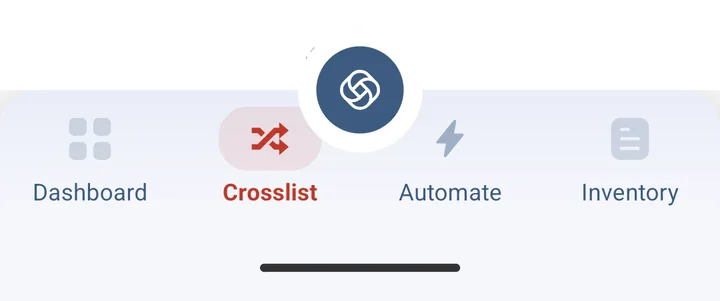
Relists counted next to crosslists.
The Crosslist screen splits Monthly Crosslists into crosslisting and relisting, so you can see how much of your activity went to relists.

Results
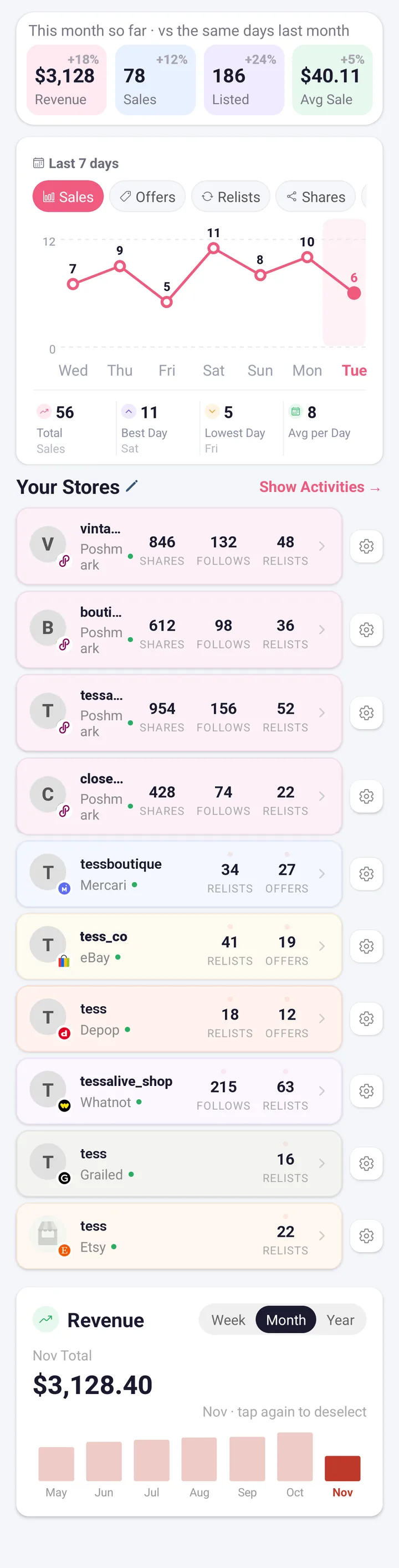
Relists per store on the dashboard.
The dashboard counts relists for each store, and the last 7 days chart has a Relists tab.






Relisting tool
What is a relisting tool?
A relisting tool takes items that have been listed for a while and lists them again as new, so buyers browsing new listings see them. Sidekick Tools does this with Auto Relist, on every marketplace it supports.
On every marketplace, older listings slip down as new ones are added. Relisting by hand means copying the photos, title and price into a new listing and deleting the old one, item by item.
Sidekick Tools runs Auto Relist on our servers. Turn it on for a store and it keeps working while you source, ship or sleep. You decide what gets skipped.
Relisting is one tool in the app. The same connected stores power offers, sharing and crosslisting to all 7 marketplaces. Want to know what a relisted item nets you when it sells? Try the marketplace fee calculator.
By marketplace
Auto Relist on each marketplace
| Marketplace | Auto Relist | Rules and extras |
|---|---|---|
| Poshmark | Back in the Just In feed, duplicate detection, skip items you choose | |
| Mercari | Turn on per store | |
| eBay | Turn on per store, next to Offer to Watchers | |
| Depop | Turn on per store, next to Offer to Likers | |
| Whatnot | Minimum age of 15, 30 or 60 days, daily limit, time slots, skip bookmarked items, skip list | |
| Etsy | Turn on per store | |
| Grailed | Turn on per store |
The pricing page lists relisting at 20 a day on every plan.
Why automate it
Relisting by hand vs. Auto Relist
Relisting by hand
- Delete and relist each old item yourself
- Copy the photos, title and price every time
- Keep track of which items are old enough
- Easy to end up with duplicate listings
With Auto Relist
- Relists run on our servers, on all 7 marketplaces
- Minimum age, daily limit and time slots on Whatnot
- Duplicate detection on Poshmark
- Skip the items you want left alone
No doubles
Relist without doubling up.
Relisting makes a new copy of a listing, so it pays to watch for duplicates. Sidekick Tools gives you three ways to stay clean.
- Duplicate detection when it relists on Poshmark.
- Duplicate Listing Alerts in the Poshmark automation tools.
- Remove Duplicates tools for Poshmark and Depop on the Tools screen.


Customer reviews
Resellers love it. Hands down.
4.6on Google Play, from 964 ratings
Real reviews from resellers on Trustpilot and Google Play.
Stands head and shoulders above its supposed competition. I use it every day and am a huge fan. Plus, if there ever is a question they are extremely responsive. Love it!
It has made crosslisting a breeze. I love the charts, stats, sale notifications and everything about this app. Service when I have a problem is very fast, usually within 30 minutes.
I have had Sidekick for 4 weeks. This was my best month in a long time. I'm very happy using Sidekick. Customer service is great!
Sidekick Tools has changed my reseller game. It's made it so much easier to list items efficiently in much less time. Definitely doubled my profits monthly.
Get started
Set up Auto Relist in minutes
Connect your stores
Link the marketplaces you sell on from the Automations tab. The same connection is used for crosslisting.
Turn on Auto Relist
Switch on Auto Relist for each store. On Whatnot, set the minimum age, daily limit and time slots.
Pick what to skip
Skip Poshmark items you want left alone and Whatnot items with bookmarks. Relists show up per store on the dashboard.
What is a relisting tool?
A relisting tool lists older items again as new listings, so they show up again for buyers. Sidekick Tools has Auto Relist on Poshmark, Mercari, eBay, Depop, Whatnot, Etsy and Grailed.
Which marketplaces does Auto Relist work on?
All 7 that Sidekick Tools supports: Poshmark, Mercari, eBay, Depop, Whatnot, Etsy and Grailed. You turn it on for each store in the Automations tab.
How does relisting help on Poshmark?
A relisted item goes back into Poshmark’s Just In feed, where shoppers look for new listings. Sidekick Tools checks for duplicates and lets you skip items you do not want relisted.
Can I choose which items get relisted?
Yes. On Poshmark you can skip any items you do not want relisted. On Whatnot you can keep a skip list and skip items that have bookmarks.
How old does a Whatnot listing need to be before it relists?
You choose a minimum listing age of 15, 30 or 60 days. A daily limit and a time slot schedule spread the relists out.
Why did my Poshmark title change slightly after a relist?
When Sidekick Tools delists and relists a Poshmark item, it can change the title slightly so Poshmark does not treat the new listing as a copy. You can edit the title back at any time.
Does Auto Relist keep running when my phone is off?
Yes. Relisting runs on our servers, not on your phone. Check on it from an iPhone, Android, Mac or any web browser.
How much does the relisting tool cost?
The pricing page lists relisting at 20 a day on every plan. Crosslisting plans start at $9.99 a month and automation plans at $29.99, and every plan starts with a free 7-day trial, no credit card required.
One app
Works with the rest of Sidekick Tools
- Poshmark BotSharing, follows, offers and relisting for your Poshmark closets.
- Mercari BotOffers to likers and auto relist on Mercari.
- eBay Automation ToolsOffers to watchers and auto relist on eBay.
- Whatnot BotFollow, follow back, unfollow and relist on Whatnot.
- Cross Posting ToolList once and publish to 7 marketplaces.
- Bulk Listing ToolEdit, delist, relist and crosslist many listings at once.
Bring your older listings back.
Auto Relist on Poshmark, Mercari, eBay, Depop, Whatnot, Etsy and Grailed. Start your free 7-day trial today. No credit card required.