Skip to content


Are you planning a vacation but worried about your growing pile of Mercari orders? I know that feeling of panic when you’re trying to pack a suitcase while Mercari shipping labels keep printing.
Fortunately, you don’t have to delete your listings or lose your hard-earned seller rating just to take a break. Mercari vacation mode is an in-app feature that enables you to temporarily hide your active listings on Mercari and prevent new orders while you are away.
In this guide, I will show you exactly how Mercari vacation mode works and how you can turn it on and off in seconds. So, let’s begin!
What is Mercari Vacation Mode?
Mercari vacation mode is a feature by Mercari that allows sellers to take a break without worrying about new orders they cannot fulfill. When you turn vacation mode on, Mercari automatically hides all your active listings so that buyers cannot see or purchase them while you are away.
The “vacation mode” feature is designed to protect your seller rating, as it prevents you from missing strict three-day shipping deadlines while you are away. Also, you can set a specific start and end date for your time off.
Your Mercari listings will automatically reappear on the day after your vacation ends, making it easy to jump back into selling. However, you should set the Mercari vacation mode to start a few days before you actually leave to ensure you have time to ship out any last-minute orders.
It is also important to remember that Mercari vacation mode does not pause any return or refund requests that are already in progress. You are still responsible for responding to return and refund issues, so it is a good idea to check your Mercari notifications occasionally, even while you are on vacation.
When Should You Put Your Mercari Account on Vacation Mode?
You should put your Mercari account on Vacation Mode whenever you know you will be unable to ship orders within Mercari’s required three-business-day window. This is common during holidays, work trips, or even personal emergencies where your attention is pulled away from your Mercari shop.
Since Mercari is very strict about shipping times, failing to send an item on time will lead to a cancelled order and a negative review on your Mercari shop.
You can also consider activating Mercari vacation mode if you are feeling overwhelmed and just need a “mental health break” from answering buyer questions. Since the vacation feature hides your listings from Mercari search results, it stops the constant flow of notifications so you can recharge without losing your progress.
Another smart time to use it is during severe weather events in your area that might close local shipping centers or prevent mail trucks from running. Keeping your Mercari shop open during a blizzard or hurricane often leads to frustrated buyers who do not understand why their tracking number hasn’t updated yet.
How Long Can You Leave Your Mercari Account on Vacation Mode?
You can leave your Mercari account on vacation mode for up to 30 days at a time. This limit is built into the calendar tool you use when setting start and end dates of vacation mode within the Mercari app settings.
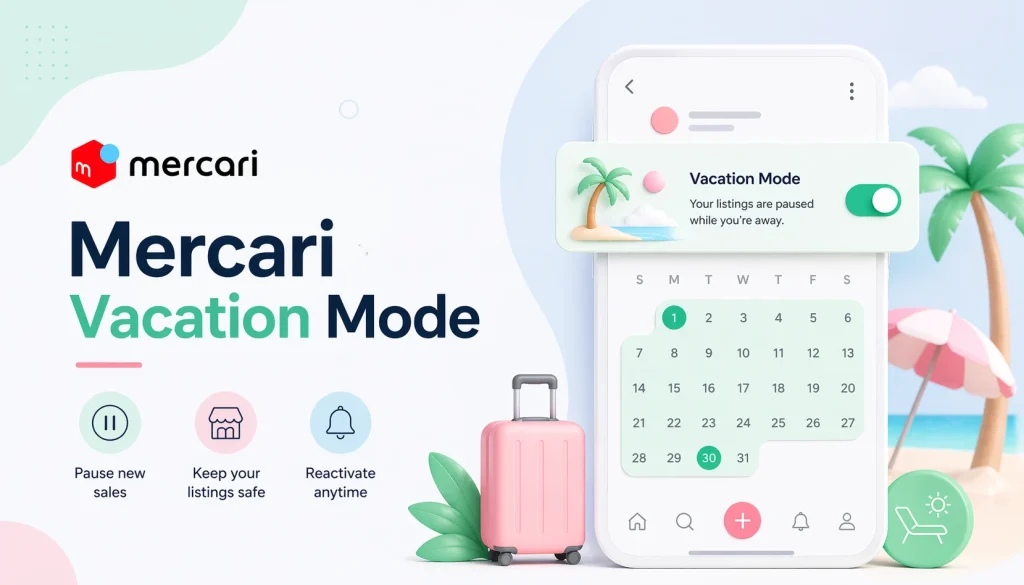
If your vacation is longer than a month, you will need to log back into the Mercari app before the first period ends to reset the dates for another 30 days. This manual update ensures that your Mercari listings stay hidden and don’t accidentally “wake up” while you are still away.
While you can technically keep extending the 30-day limit indefinitely, some Mercari sellers prefer a different method for very long breaks. Instead of using vacation mode, they choose to “deactivate” their listings manually, which keeps the items hidden without a ticking clock.
If you choose to use vacation mode on Mercari for several months, keep in mind that your Mercari shop’s momentum will slow down. When you finally return and turn the vacation mode off, your listings will reappear exactly as they were before you left.
It may take a day or two for your Mercari listings to show up in search results again as the algorithm refreshes your account’s status.
Also Read: How to Turn On/Off Poshmark Vacation Mode?
What Happens to Your Mercari Listings When You’re on Vacation Mode?
When you activate vacation mode, Mercari immediately hides all your active listings from public view. This means they will not appear in search results, and buyers cannot click “buy” or make any offers on your items while you are away.
Your listings are put into a “hidden” state where only you can see them in your private profile under the “Selling” tab. This keeps your Mercari shop safe from accidental sales that you are not home to ship, preventing your Mercari account from getting negative reviews for late order shipments.
It is important to know that any listings you had already deactivated manually will stay deactivated even after your vacation ends. Only the listings that were live when you turned on vacation mode will automatically reappear to the public once your set end date passes.
While your Mercari listings are hidden during vacation mode, existing buyers can still message you if they have questions about orders that were already in progress. You can also still view your “likes” and comments, but everyone else is blocked from interacting with your listings until you return.
How to Turn On Mercari Vacation Mode?
1. Open the Mercari app and log in to your account.
2. Next, tap the profile icon on the bottom right of the screen.
3. Then, go to “Settings.”
4. Next, tap the “Vacation” tab.
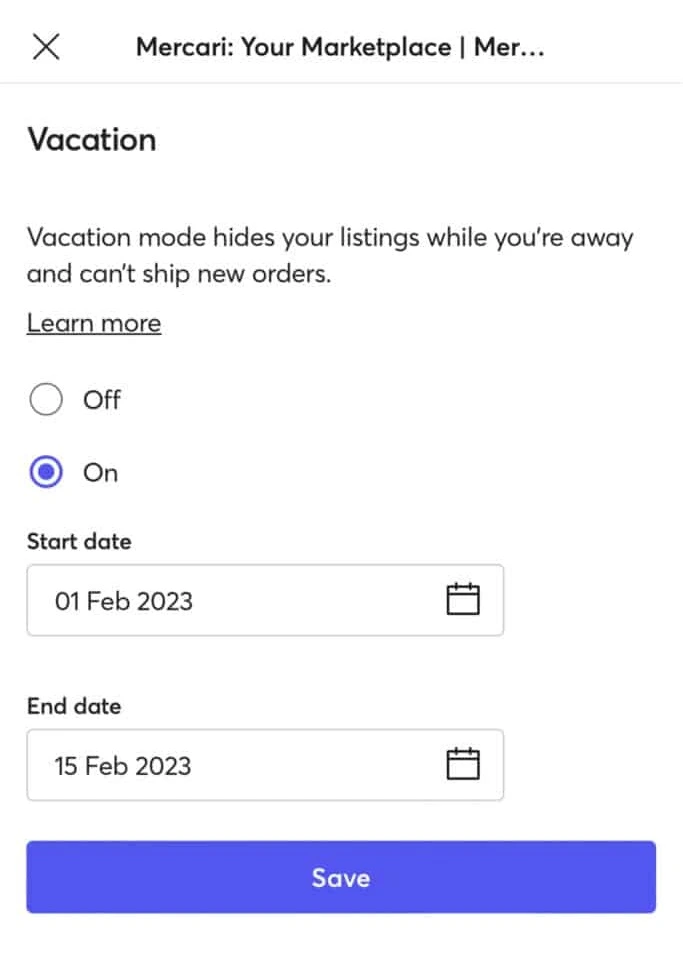
5. Select “On” radio button and then select “Start Date” and “End Date” using the calendar.
6. Lastly, tap the “Save” button to confirm.
How to Turn Off Mercari Vacation Mode?
1. Open the Mercari app and log in to your account.
2. Next, tap the profile icon on the bottom right of the screen.
3. Then, go to “Settings.”
4. Next, tap the “Vacation” tab.
5. Select “Off” radio button.
6. Lastly, tap the “Save” button to confirm.
Frequently Asked Questions (FAQs)
Will buyers still be able to see my Mercari listings during vacation mode?
If your listings are active, buyers can still see and purchase them. To avoid this, you need to deactivate or pause your Mercari listings manually.
Will deactivating Mercari listings affect my sales or algorithm ranking?
Temporarily deactivating your Mercari listings will definitely reduce their visibility in the short term, but it’s still better than risking order cancellations or negative reviews.
Can I message buyers on Mercari while on vacation?
Yes, you can still respond to messages on Mercari, but quick responses are important to maintain good seller ratings and trust.