Skip to content

Got a new phone number and need to update it on Mercari?
Good news! It takes less than two minutes to change phone number on Mercari.
The bad news? Mercari buries the setting in a place almost nobody thinks to look — it’s not under “Account,” not under “Profile info,” and not where any other marketplace puts it.
In this guide, I’ll explain step-by-step how to change your phone number on Mercari, the reason your new number might keep failing verification, and the recovery path if you’re already locked out.
Why Your Mercari Phone Number Matters?
Mercari’s account security is built around your mobile number. It’s not just a contact detail; it’s how Mercari confirms you’re a real person, how it sends login verification codes, and how it helps you recover a lost account.
Mercari also asks all users to verify a phone number or email to keep full access to chat and listing features, so an unverified or outdated number can quietly restrict your account.
That’s why keeping it up to date matters more for sellers than for buyers.

If your phone number on file is dead and Mercari triggers a verification check, you can find yourself locked out with active listings, pending offers, and unshipped orders — the worst possible time to be fighting with account recovery.
The rule to remember is that you can’t remove your phone number from Mercari, only replace it.
A valid mobile number must stay on file at all times, so “changing” your number really means verifying a new one that takes the old one’s place.
How to Change Phone Number on Mercari?
1. Open the Mercari app on your phone and tap the “Profile” icon in the bottom-right corner.
2. Tap “Settings.”
3. Then, tap “Notifications.”
4. Next, tap “Change your mobile number.”
5. Enter your new phone number and submit it.
6. Mercari sends a verification code by SMS to the new number. Enter the code to confirm.
Once the verification code is accepted, your new phone number is verified and active.
All future login checks and SMS notifications go to the new number, and your listings, reviews, balance, and purchase history will be completely unaffected.
Changing your phone number will never touch the rest of your Mercari account.
You should also know:
The code goes to your new number, not your old one. This is great news if you’ve lost access to your old phone: as long as you can still log in to your account, you don’t need the old number at all to make the switch.
Can’t receive texts? You can request the verification code by automated phone call instead. This helps if your new line receives calls reliably but SMS delivery is spotty.
You can also update your number from Mercari’s website by logging in and navigating to the same Settings > Notifications area.
However, the Mercari app is the more reliable route, and since Mercari is a mobile-first marketplace, that’s where most sellers manage their accounts anyway.
Which Phone Numbers Mercari Won’t Accept?
The most common reason a phone number change fails is because Mercari cannot verify international, prepaid, or VoIP phone numbers.
In practice, that means:
1. Google Voice, TextNow, Skype Numbers — rejected. Mercari’s system detects VoIP numbers instantly, and you’ll typically see an error like “Please enter a valid mobile number.”
2. Landlines — not accepted; it must be a mobile number.
3. Non-U.S. Numbers — Mercari’s U.S. marketplace requires a U.S. carrier number.
4. Some Prepaid Lines — results vary, but prepaid numbers are frequently rejected.
If your new phone number keeps failing verification, this is almost certainly why.
The fix isn’t a workaround — it’s using a standard mobile number from a major carrier or a mainstream carrier-based MVNO.
Mercari sellers who prefer to keep their personal number private sometimes use a cheap second SIM or eSIM line from a real carrier; that satisfies Mercari’s verification while keeping your main phone number off the account.
Common Issues with Changing of Phone Number on Mercari
The Verification Code Never Arrives
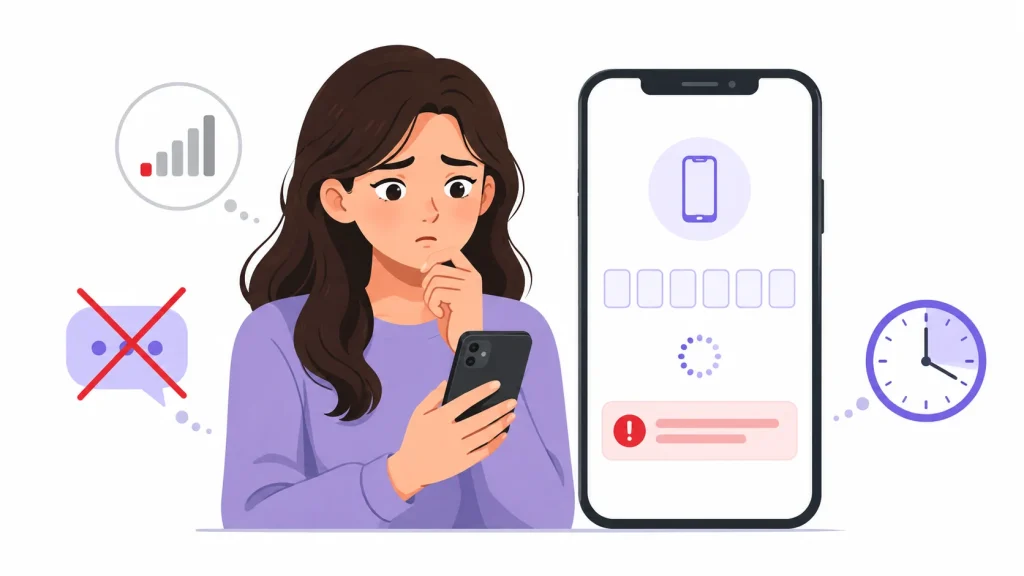
Wait a couple of minutes before retrying — Mercari verification codes can take some time to receive.
Then check that the number was typed correctly, make sure your phone has signal and isn’t blocking short-code SMS (some spam filters and carrier settings block automated texts), and try the phone-call option instead.
If no verification code arrives after several attempts, wait an hour before requesting again; rapid repeated requests can temporarily rate-limit your phone number.
You Lost Your Old Number But Can Still Log In
You’re fine. Follow the standard steps above — verification can happen on the new phone number, so the old one being dead doesn’t block anything.
Do it now, though, while your login session is still active. If you get signed out before updating, you’ll land in the next scenario.
You’re Locked Out and the Code Goes to your Old Phone Number
This is the painful one: Mercari wants to verify a login by texting a number you no longer have.
There’s no self-service bypass — Mercari deliberately doesn’t allow email-only recovery around SMS verification, since that would defeat the security purpose.
Your path is Mercari’s Help Center: go to mercari.com/us/help_center, use the contact options to reach support, explain that you’ve lost access to your registered number, and be ready to prove ownership of the account.
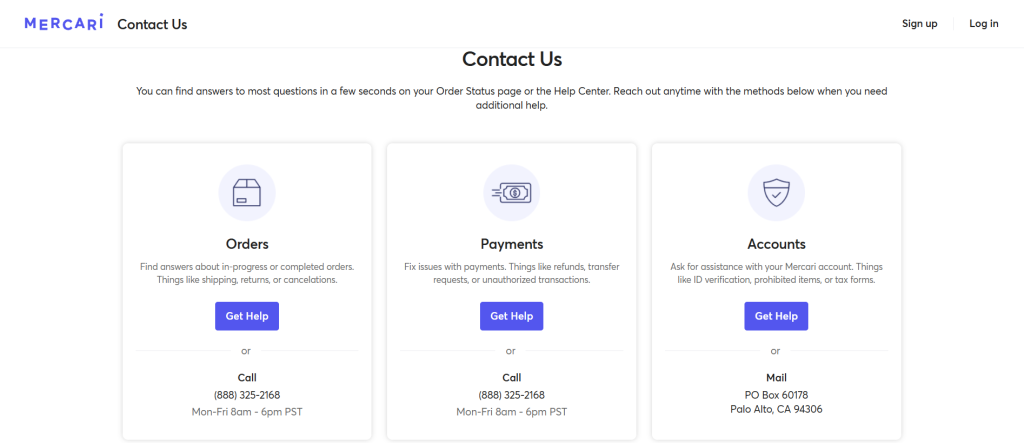
Details that help your case include the email on file, recent transaction details, shipping addresses, and payment information.
Response times vary from hours to a few days, so raise the ticket immediately rather than retrying the dead number.
Your Mercari Account is Restricted After Changing Carriers
Occasionally a phone number ported to a new carrier confuses verification systems.
If your same phone number stopped verifying after a carrier switch, give it 24–48 hours for the port to fully settle, then retry.
Still stuck? Raise a ticket.
Keep Your Seller Profile Consistent Everywhere
If you sell on more than one marketplace — and most serious resellers do — a phone number change is a good start to audit all your accounts at once.
Poshmark, eBay, Depop, and the rest each use your number for their own two-factor checks, and a dead number on any of them can lock you out at the worst moment.
Update them all in one sitting so account recovery never depends on a phone you threw in a drawer.
While you’re doing housekeeping, it’s worth centralizing the day-to-day work too.
Sidekick Tools manages your listings across seven marketplaces, including Mercari, Poshmark, eBay, and others.
From a single automation app, you can cross list items in a couple of taps, auto-relist stale items, send offers to likers, and auto-delist sold items everywhere so you never double-sell.
Start a free 7-day trial — no credit card required.
Frequently Asked Questions (FAQs)
Can I remove my phone number from Mercari without adding a new one?
No. Mercari requires a verified mobile number on file at all times. You can replace your number, but you can’t delete it and leave the field empty.
Can I use Google Voice or another VoIP number on Mercari?
No. Mercari’s verification system rejects VoIP, prepaid, and international numbers. You’ll need a carrier-based U.S. mobile number.
Will changing my phone number affect my listings or reviews?
Not at all. Your listings, ratings, balance, and transaction history are tied to your account, not your phone number. Only your verification and SMS notifications move to the new number.
What if I no longer have access to my old phone number?
If you can still log in, just change the number normally — the verification code goes to your new number. If you’re locked out, contact Mercari support through the Help Center and verify your identity with account details.
Can two Mercari accounts share one phone number?
No. Each verified phone number can only be attached to one Mercari account, which is part of how Mercari prevents duplicate and ban-evading accounts.