Skip to content

One of your items just sold on Poshmark, but for less than you wanted. And the strange part? You never accepted the offer.
No, your Poshmark account was not hacked. Poshmark’s new Smart Sell feature made that call for you, and it is quietly rolling out to Poshmark closets everywhere.
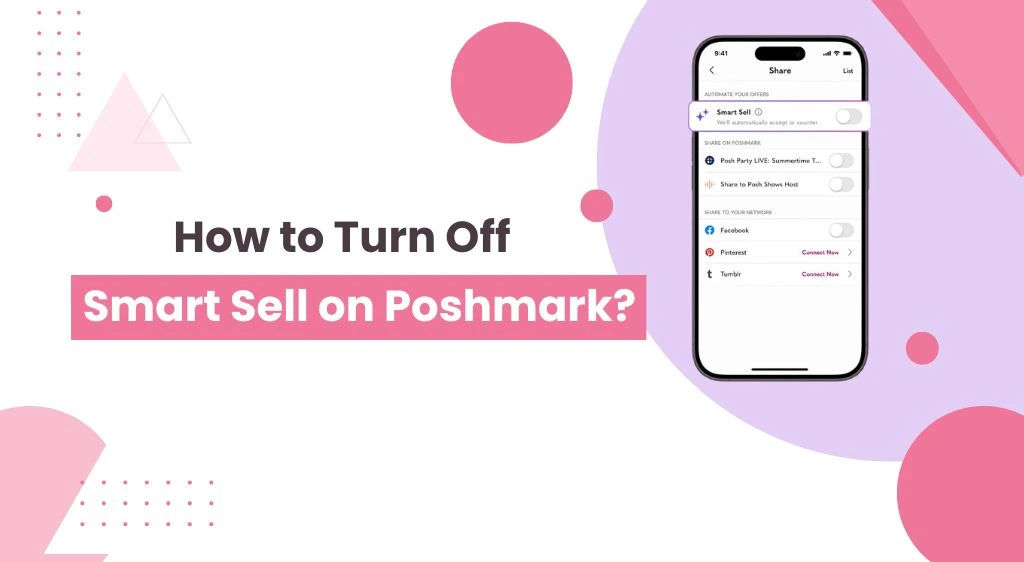
Plenty of Poshmark sellers are now asking the same question: how to turn off Smart Sell on Poshmark? If you are one of them, you are in the right place.
In the next few minutes, you will learn everything about the Poshmark Smart Sell feature, how it works, its limitations, why Poshmark sellers want to turn it off, and how you can disable it.
What is Smart Sell on Poshmark?
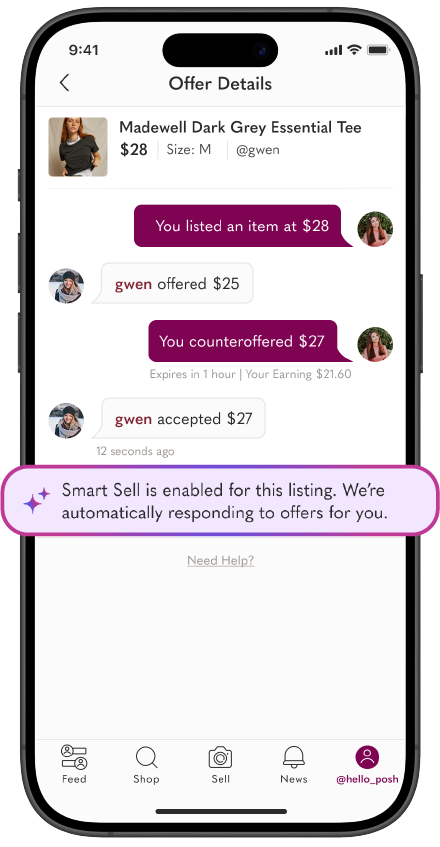
Smart Sell is Poshmark’s automated selling assistant. Once a buyer sends an offer on your listing on Poshmark, Smart Sell steps in and negotiates for you.
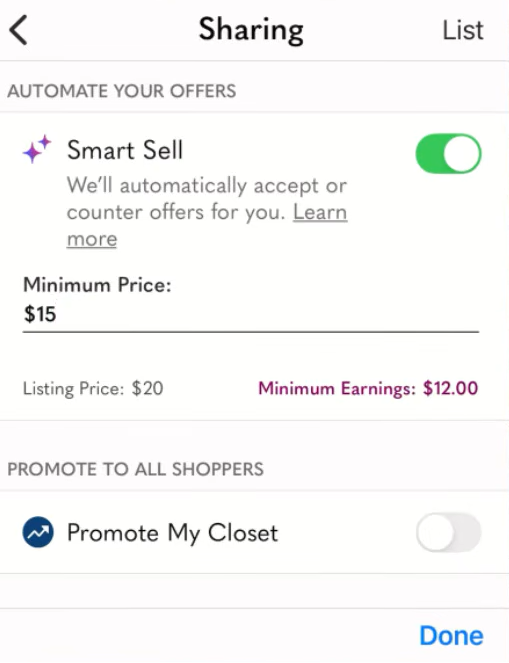
Here is how it works behind the scenes. You set a minimum price (or accept Poshmark’s suggested one). When an offer comes in, an algorithm decides whether to accept it or send a counteroffer.
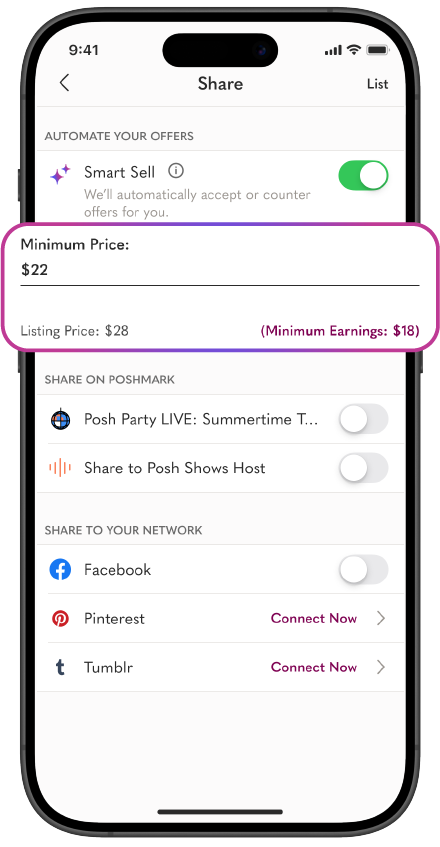
Smart Sell aims to get you as close to your full listing price as possible. It will never accept anything below your minimum. If no deal can be made within your range, Poshmark notifies you so you can step in yourself.
Poshmark launched Smart Sell in mid-2025 as a test with a limited group of sellers. It has been expanding ever since, which is why so many sellers suddenly see it on their Poshmark accounts without asking for it.
Why Poshmark Sellers Want to Turn Off Smart Sell?
1. It accepts offers you might have countered. The algorithm decides what “close to your listing price” means. You might have held firm for $5 more. Smart Sell may not.
2. Poshmark’s suggested minimum can be too low. If you tap through setup quickly, you may lock in a floor price that eats into your profit margin. Many sellers do not realize this until an item sells cheap.
3. You lose the buyer relationship. Negotiation on Poshmark is social. A friendly counteroffer with a bundle discount often closes bigger sales. A bot cannot read the room.
4. It can turn on quietly. Whatever setting you choose gets saved as the default for future listings. One accidental toggle, and every new listing has it enabled.
5. Some sellers report losing offers entirely. During the test rollout, several sellers reported that they could not manually accept, counter, or decline offers while Smart Sell was active on a listing. Missing a sale because you could not press a button is painful.
How to Turn Off Smart Sell on Poshmark?
1. Open the Poshmark app on your phone and log in to your account.
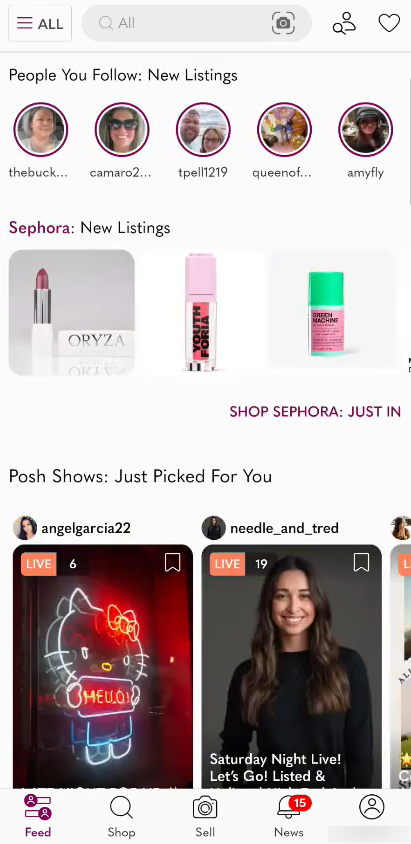
2. Tap on the “Profile” icon on the bottom right of your screen.
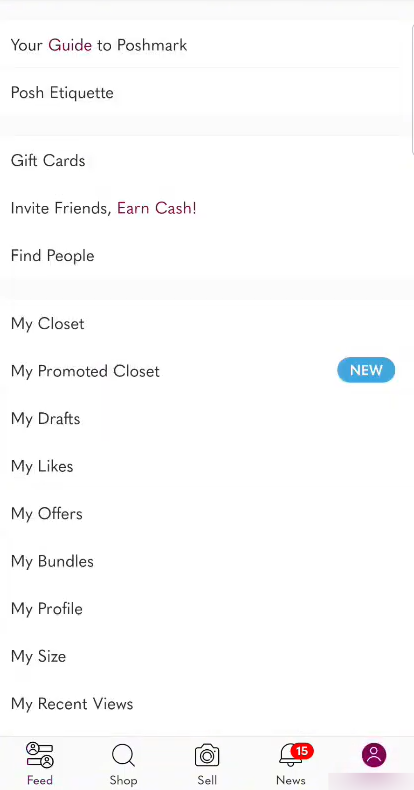
3. Next, tap “My Closet.”
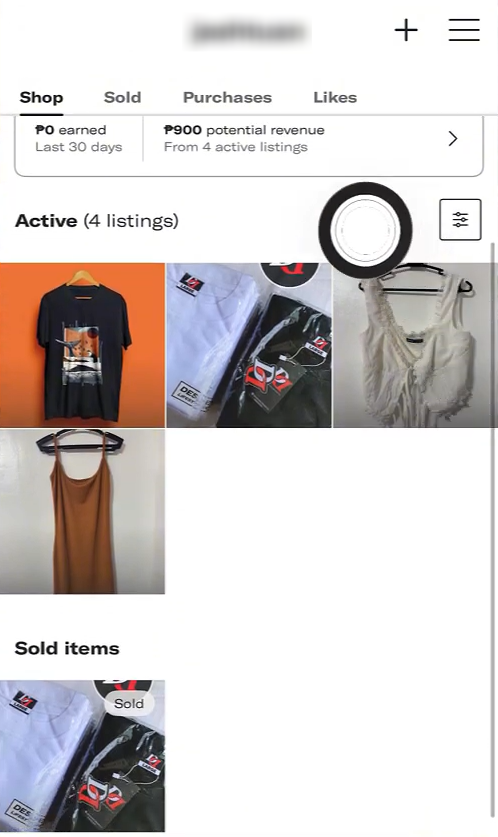
4. Then, go to the Shop tab and tap the listing for which you want to turn off the Smart Sell feature.
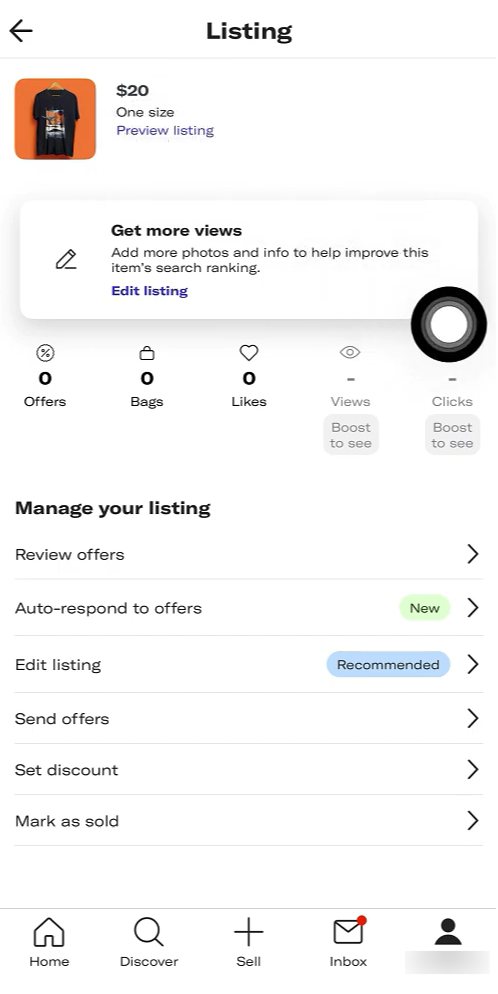
5. Tap “Edit Listing.”
6. In the listing preview, tap “Next.”
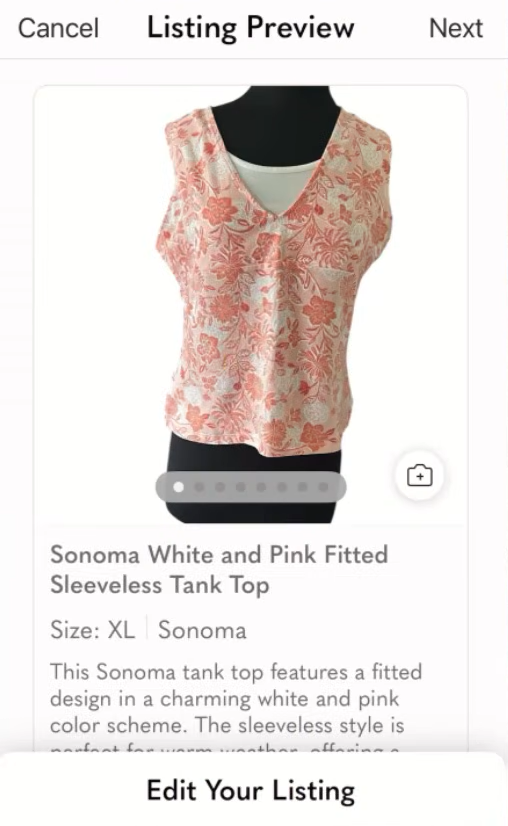
7. Lastly, turn off the Smart Sell toggle and tap “Done.”
What If Smart Sell Don’t Turn Off?
Some Poshmark sellers report that the feature still shows as enabled even after toggling it off. If that happens to you, try these fixes in order:
1. Force-close and reopen the Poshmark app. Cached listing data sometimes shows the old state.
2. Update the app. Smart Sell is still evolving, and older versions can behave oddly.
3. Try the website instead. Log in on a desktop browser and edit the listing there.
4. Log out and back in. This refreshes your account settings.
5. Contact Poshmark Support. If the toggle truly will not stick, submit a request through the Help Center. Since Smart Sell is still being tested, support can adjust it on their end.
The Smarter Alternative: Sidekick Tools’ Send Offer Tool
Here is the honest truth. Resellers do not hate automation. They hate automation they cannot control.
Smart Sell’s real appeal was speed: buyers hear back fast, and fast responses close sales. You can keep that speed without handing your pricing decisions to Poshmark’s algorithm.
That is exactly what Sidekick Tools’ Send Offer Tool does. Instead of reacting to offers with a black-box algorithm, it automatically sends your offers to likers the moment they engage with your listing.
Why does that matter?
Likers on Poshmark are the most interested buyers. Most of them are impulse buyers who just need a small nudge. Reach them within minutes of the like, and your odds of a sale jump dramatically.
Here is why you should be using the Sidekick Tools app rather than the Poshmark Smart Sell feature:
1. You set the discount, not an algorithm. Choose the exact offer percentage and shipping discount you are comfortable with. Your profit margin stays protected.
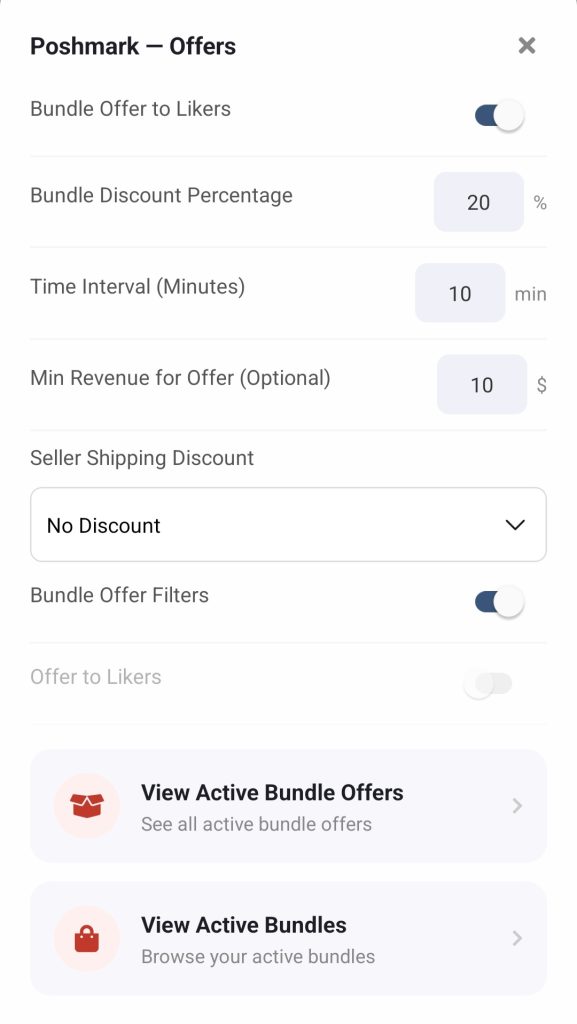
2. It works while you sleep. Offers go out automatically 24/7, so you never miss a liker in a different time zone.
3. It works beyond Poshmark. The same tool sends offers to likers and buyers on eBay, Mercari, and Depop, which is a big deal if you crosslist.
4. You keep the negotiation. When a buyer counters, you decide what to accept. The relationship stays yours.
In short, Smart Sell automates the response and takes your control away. Sidekick Tool automates the outreach and leaves you in charge. That is the difference between a bot selling for you and a tool selling with you.
Frequently Asked Questions (FAQs)
Can I turn off Smart Sell for all my listings at once?
Yes, you can turn off Smart Sell for multiple or all of your listings at once using the bulk disable option in the Seller Tools section within your Poshmark account.
Will Smart Sell turn itself back on for new listings?
Your last choice becomes the default for future listings. If you turned it off, new listings should stay off. Still, check the toggle when you list, since the feature is still in testing and behavior can change.
Will Smart Sell accept offers below my minimum price?
No. If an offer falls below your minimum, Smart Sell counters instead. If no deal fits within your price range, Poshmark notifies you so you can respond manually.
Why can’t I see Smart Sell on my account?
Smart Sell rolled out as a test to a limited group of sellers, and Poshmark has been expanding access gradually. If you do not see it, your Poshmark account may not have the feature yet.
Does turning off Smart Sell affect my existing offers?
Turning it off stops the automation going forward. Any offers already accepted by Smart Sell are binding sales, just like offers you accept yourself, so review your minimum prices carefully while the feature is on.