Skip to content


If you list great items on Depop, but only a few people see and like them, then the problem might be with your Depop followers.
Whenever you list items on Depop, your followers see your new listings in their feed. They like, save, and buy, which tells Depop to show your listings to even more people.
In this guide, we’ll explain in detail why followers matter on Depop. Also, we’ll discuss how to get followers on Depop.
Why Do Followers Matter on Depop?
Depop works a lot like a social app. When you post or refresh an item, it shows up in your followers’ feeds.
That means every follower on Depop is a buyer who sees your items first. More followers mean more eyes on each new listing.
Depop says clicks, saves, and purchases tell it your listings are worth showing to more buyers. Followers create those signals faster than strangers do.
It works like a loop:
– More followers see your items.
– They like, save, and buy them.
– Depop shows your listings to more Depopers.
– Some of those Depopers follow you too.
How to Get More Followers on Depop?
Step 1: Optimize Your Depop Profile
Your Depop profile is your shop window. Shoppers decide in seconds whether to tap “Follow” or scroll away.
Pick a Good Username and Profile Photo
Choose a short username that’s easy to spell and remember. Use the same name on TikTok and Instagram so people can find you.
For your profile photo, use a clean logo or a friendly picture of you. Skip blurry images or random memes.
Write a Bio That Tells Depopers Why to Follow
Your Depop account bio should answer one question: “What will I get if I follow this shop?” Keep it short and clear.
You can mention what you sell and how often you list items. Add your shipping speed if it’s fast.
Here’s a simple example:
Y2K and 90s vintage tees 🌟 New drops every Mon & Thu · Ships in 24 hrs · Bundle 2+ for a deal
Choose a Niche and Stick to It
A niche is the one style or category your Depop shop focuses on. It can be vintage band tees, cottagecore dresses, or streetwear sneakers.
People follow Depop shops that match their taste. A Depop shop that sells “a bit of everything” gives them no reason to come back.

Keep your photos in the same style too. Use the same background, lighting, and angle so your Depop shop looks clean and on-brand.
Step 2: Create Listings People Want to Follow
Every listing on Depop is a small ad for your whole shop. Depop itself calls each listing an advert for your shop.
Take Scroll-Stopping Photos
Depop shoppers scroll fast. Bright, sharp photos make them stop and tap.
Click photos of your items in natural light and with a plain background. Show the front, back, tags, and any flaws so buyers trust you.
Model shots work best because they show how an item fits. No model? Download the Sidekick Tools app, which has the AI Stock Photo Creator that uses AI to place your clothes on professional models.
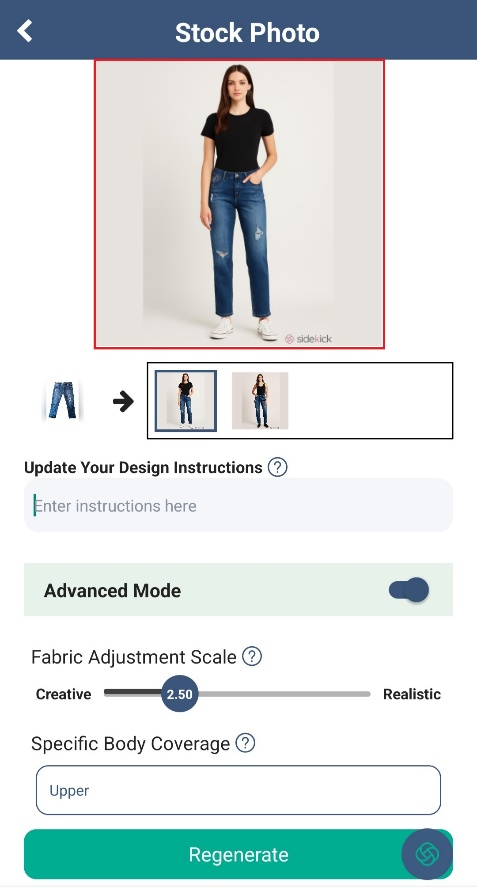
The Sidekick Tools app also has a bulk photo background remover that removes cluttered backgrounds from your item photos in seconds.
Write Listing Titles and Descriptions With Keywords
Keywords are the words buyers type into the Depop search bar. Put them in your listings’ titles and descriptions so your items show up in search.
Think like a buyer. Would they search “vintage Levi’s 501 jeans” or “blue pants”? Use the specific words.
Include the brand, size, color, style, era, and condition. Then add up to five hashtags, like #y2k or #vintagetee.
List New Items Often and Space Them Out
Depop gives more attention to active sellers. New listings also give followers a reason to keep checking your Depop shop.
But don’t list 30 items in one go, though. Depop suggests spreading listings out through the day, using drafts to prepare them ahead of time.
Spacing items out will put your Depop shop in front of buyers many times a day. Pick a schedule, like five items each morning and evening, and stick to it.
Also Read: How to Cancel an Order on Depop
Step 3: Engage With the Depop Community
Depop is social, so being active pays off. The more you interact, the more people notice your Depop shop.
Follow and Like Depop Shops in Your Niche
Follow people on Depop who are relevant to your selling niche. Many will check out your Depop shop and follow you back.

Like items on Depop you truly love and leave kind comments. Real interaction works better than following hundreds of random Depop accounts.
Don’t mass-follow and then unfollow people. It looks spammy, and it can put your Depop account at risk.
Reply Fast to Shoppers
Answer messages quickly, ideally within a few minutes. Slow replies send buyers to the next seller.
Also, ship orders on time, pack items with care, and add a small thank-you note. Happy buyers leave 5-star reviews and also follow you for more.
Send Offers to Likers
When someone likes your item on Depop, it means they’re already interested in buying it. A small discount offer can turn that like into a sale and a new follower.
However, sending offers manually one-by-one takes a lot of time. You can use the Offer to Likers (OTL) feature within the Sidekick Tools app that automatically sends offers to likers on Depop for you, using the discount you set.

Refresh and Relist Old Items
Older listings slowly sink in Depop search. Refreshing or relisting them pushes them back to the top and into your followers’ feeds.
To refresh listings on Depop, update the photos, tweak the description, and check your price against similar items. Depop recommends this for items that aren’t getting any engagement.
Doing this for 100+ items is quite hectic. That’s why smart Depop sellers use the relisting tool by Sidekick Tools that refreshes your oldest items by automatically relisting them on Depop.

Step 4: Grow Beyond the Depop App
Most Depop users are also active on TikTok and Instagram. You can connect with them on those platforms and make them your followers, not just on Instagram and TikTok but also on Depop.
Promote Your Depop Shop on Social Media
Post short videos of new drops, try-ons, or “pack an order with me” clips. Try to make them real and fun, so people can share them.
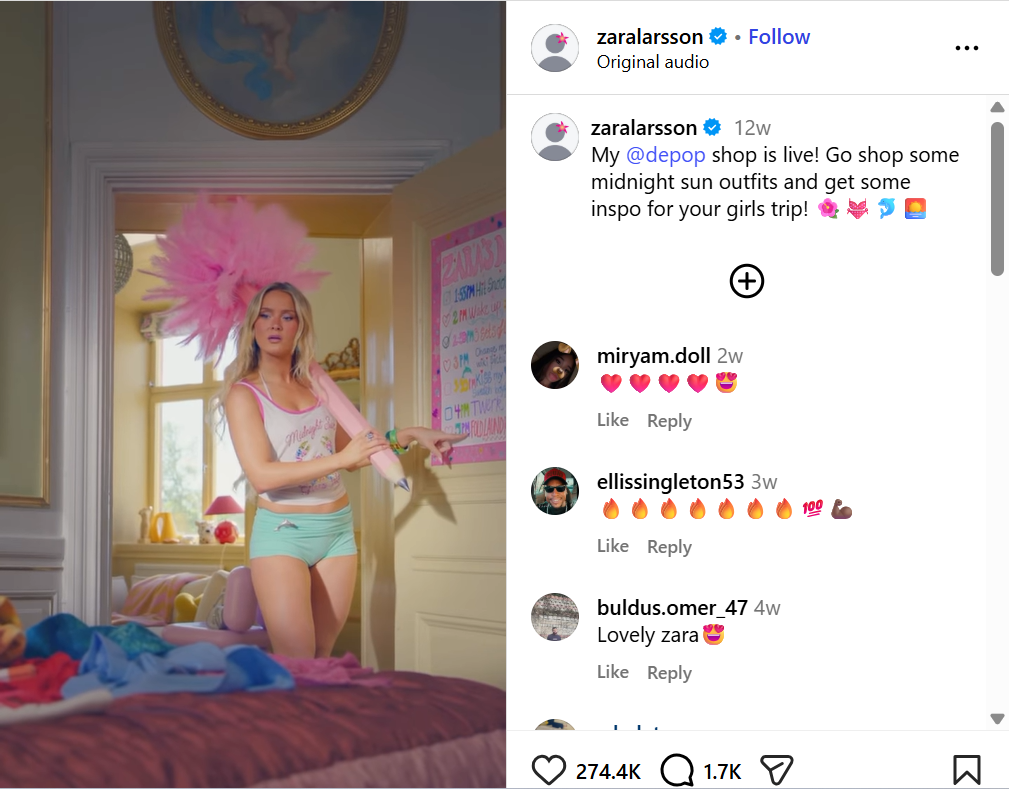
Also, put your Depop shop link in your Instagram/TikTok bio. Then say “Link in bio to shop” at the end of each video.
You can also run small giveaways. Ask people to follow your Depop shop to enter, and pick a winner on a set date.
Crosslist to More Platforms
Selling on more than one platform puts your items in front of more buyers. Many of those buyers then look for your shop on Depop and hit “Follow.”
The hard part is listing every item again and again. Copying photos, titles, and prices to each marketplace takes hours.
The Crosslister by Sidekick Tools fixes that. It posts your items to seven marketplaces: Depop, Poshmark, eBay, Mercari, Etsy, Grailed, and Whatnot.

Here’s how it makes crosslisting easier:
1. Import listings in bulk. Pull items from one marketplace and post them to other connected marketplaces in just a couple of taps.
2. Skip retyping. Your photos, titles, and descriptions carry over, so you don’t start from scratch.
3. Avoid double sales. When an item sells on one platform, Sidekick Tools spots the sale and removes it from the other platforms.
For example, say you already sell on Depop. You can import your Depop listings and post them to Poshmark or eBay in minutes.