Skip to content

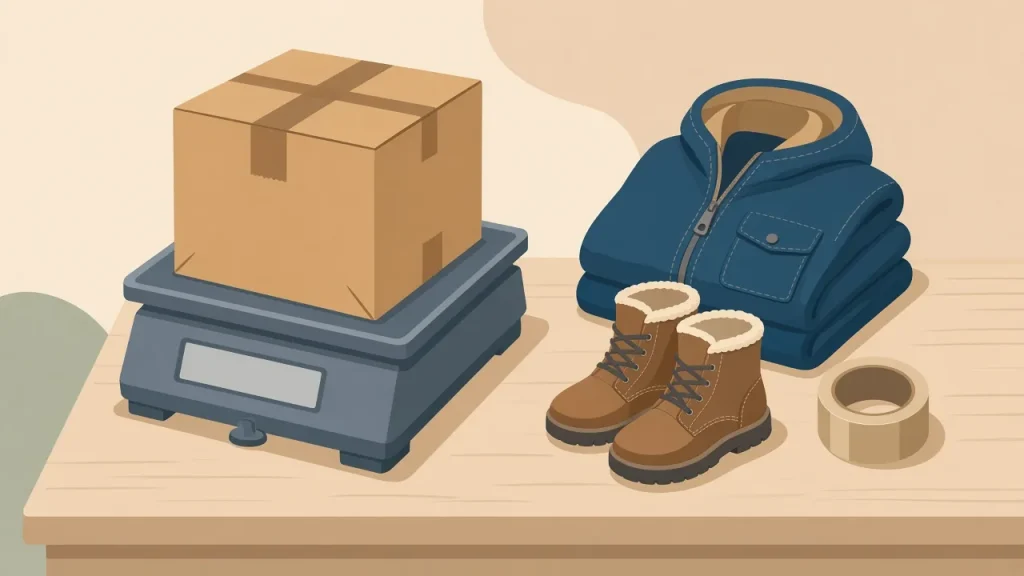
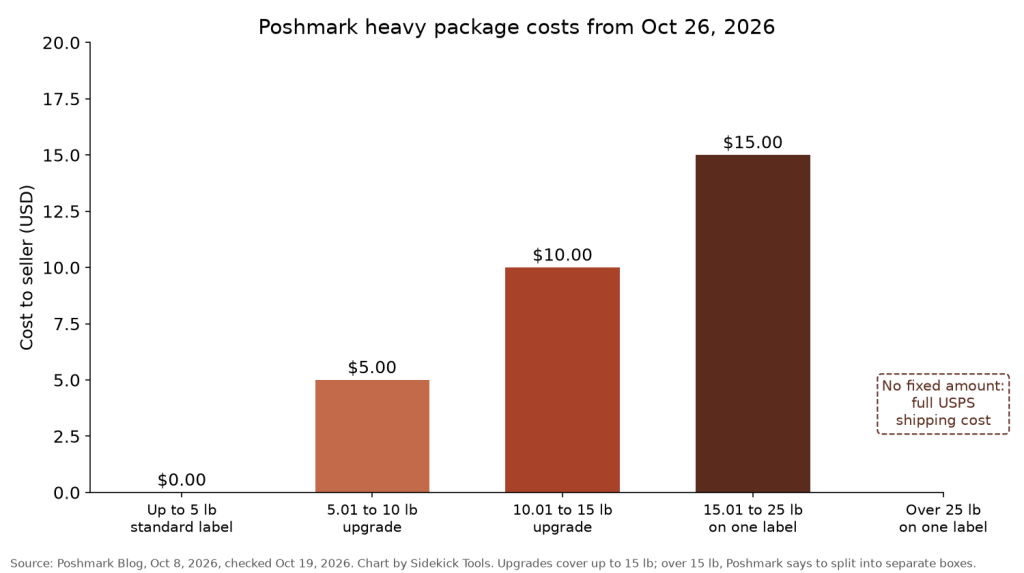
Starting October 26, 2026, if you ship a Poshmark package over 5 lb without upgrading your label, Poshmark deducts the required upgrade cost from your earnings. Poshmark used to cover that cost. The upgrade is $5.00 for 5.01 to 10 lb and $10.00 for 10.01 to 15 lb, and a package over 15 lb on a single label costs $15.00 at 15.01 to 25 lb or the full USPS shipping cost above 25 lb.
This post is part of our marketplace fee and policy changes tracker, which covers all seven marketplaces Sidekick Tools crosslists to.
What Poshmark announced
Poshmark posted the change on its blog on October 8, 2026. In its words: “Starting October 26, 2026, if you ship a package over 5 lbs without upgrading your label, the required upgrade cost will be deducted from your earnings. Poshmark has previously covered this cost” (Poshmark Blog, Oct 8, 2026).
The upgrade prices themselves aren’t changing. Poshmark says “these rates are staying the same this season.” What changes is who pays when a seller skips the upgrade. Before October 26, Poshmark absorbed it. From October 26, it comes out of your earnings.
The weight bands and costs
Here’s the full table from Poshmark’s October 8 post.
| Package weight | What happens | Cost to you |
|---|---|---|
| Up to 5 lb | Standard label | No additional cost |
| 5.01 to 10 lb | Upgrade your label | $5.00 |
| 10.01 to 15 lb | Upgrade your label | $10.00 |
| 15.01 to 25 lb, on one label | Over the upgrade limit. Deducted from earnings | $15.00 |
| Over 25 lb, on one label | Over the upgrade limit. Deducted from earnings | Varies, the full USPS shipping cost |
The first three rows are the same upgrade tiers Poshmark introduced on February 13, 2026, when it replaced five old tiers for 6 to 10 lb (which could cost up to $22.50) with a single $5.00 tier and added a new $10.00 tier for 10.1 to 15 lb (Poshmark Blog, Feb 13, 2026). That February post also says sellers only pay the difference between the original label and the upgraded one, and the whole order still ships in one package.
The 15 lb limit and the $15 charge
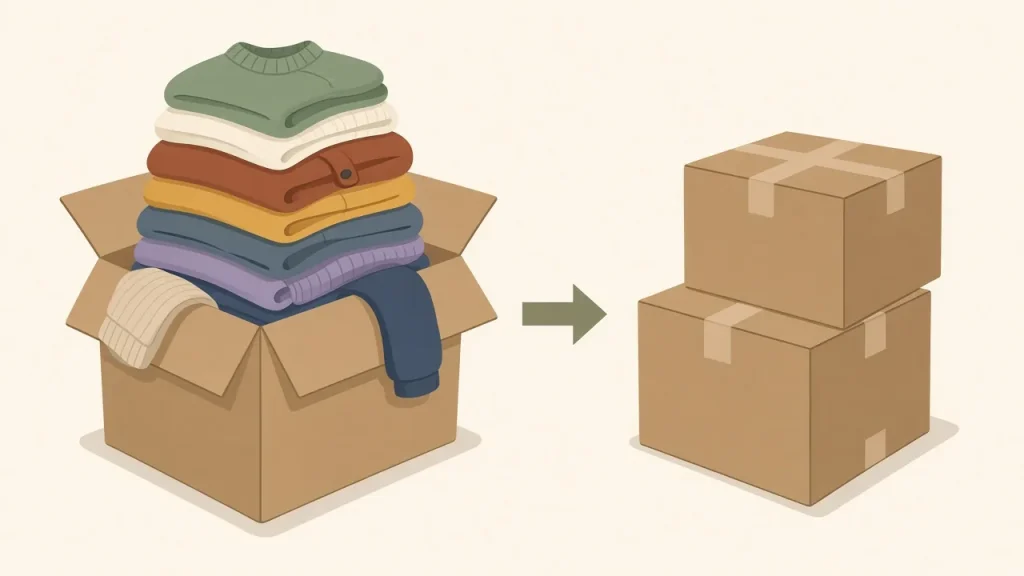
The $15.00 row is easy to misread. It isn’t a fourth upgrade tier. Poshmark says upgraded labels cover up to 15 lb, and for heavier bundles you should split the items into separate boxes and generate an additional label for each extra box. The $15.00 is what gets deducted if you send a 15.01 to 25 lb package on a single label anyway. Above 25 lb, you pay whatever USPS charges.
Poshmark says additional labels “include a separate fee,” but the October 8 post doesn’t give the amount. Check the amount in the app before you split an order so you can compare it with the single-label cost.
What counts toward the weight
Poshmark is clear that the weight includes everything, not only the item. Your package weight is the item plus all packing materials: the box, padding and tape. Poshmark names coats, boots, handbags and bundled orders as the things most likely to go over 5 lb.
A wool coat that weighs 4.6 lb on its own can easily go over 5 lb once it’s in a box with some paper. Weigh the package after it’s packed and taped, not before.
How to upgrade your label
Poshmark’s October 8 post gives these steps in the app:
- Select the Me tab (your profile picture, bottom right).
- Select Sales, then select the order.
- Select Upgrade Shipping Label, located under the Shipping Your Order options on the Order Details page.
- Select the weight of your package, then select Next.
- Choose Email Printable Label or Generate QR Code to get your updated label.
Poshmark’s other official pages describe the same option with slightly different button names. The February 13 post calls it “Purchase Heavier Weight Label” under “Pack Your Item(s),” and the Posh Guide calls it “Need Heavier Weight Label” under “Need New Shipping Label” (Poshmark Posh Guide: How Do I Upgrade My Shipping Label?). Go by what your app shows. The Posh Guide also confirms that any extra label cost is deducted from your earnings.
Examples
These show what happens on a single order after October 26. They only cover the label side. Poshmark’s usual selling fee still applies.
- Coat in a box, 6.2 lb. If you upgrade first, you pay the $5.00 upgrade. If you don’t, Poshmark deducts $5.00 from your earnings. Same cost either way, but upgrading means the package is labeled correctly before it ships.
- Bundle of boots and jeans, 12 lb. Upgrade to the 10.01 to 15 lb label for $10.00. Skipping the upgrade gets the same $10.00 deducted.
- Big bundle, 18 lb, one box. This is over the 15 lb upgrade limit. Shipped on one label, $15.00 is deducted. Poshmark’s guidance is to split it into separate boxes with additional labels instead.
- Very large bundle, 30 lb, one box. Over 25 lb, the deduction is the full USPS shipping cost, which Poshmark doesn’t list as a fixed amount. Splitting is the safer choice.
Tips for selling heavy items on Poshmark
Poshmark’s own tips are short: keep the label upgrade in mind when you price bulky items, and weigh bundled orders after packing, since several items add up fast. A few more that follow from the rules:
- Weigh items when you list them. If you know a coat ships at around 6 lb, you can build the $5.00 upgrade into your price from the start.
- Watch bundles. A buyer adding two pairs of jeans to a sweater can push you past 5 lb without you noticing until you pack.
- Use the lightest packaging that protects the item. A poly mailer weighs much less than a box for soft goods.
- Keep a cheap postal scale at your packing station. Guessing is what leads to deductions.
What this means for crosslisters
If you crosslist heavier items like coats, boots and bundles, Poshmark’s shipping math is now different from the other apps in a way that’s easy to forget. On Poshmark, the standard label covers up to 5 lb and the seller pays any upgrade above that, now whether you remember to upgrade or not. A coat that nets you more on Poshmark at first glance might not once you take $5.00 or $10.00 off the payout.
Keep a weight in your notes for every heavy item you list, so you can price it right on each marketplace. When you change a price to account for shipping, make sure the change reaches every place the item is listed, so you don’t sell the same coat for less on one app.
Sidekick Tools is crosslisting software that lets you list once and send the listing to Poshmark, eBay, Mercari, Depop, Grailed, Whatnot and Etsy, then edit from one place. See how it works, check pricing, or read about the Poshmark bot for sharing and other Poshmark automation. To see your Poshmark payout on a sale, try the free Poshmark fee calculator, and for more on labels, read our Poshmark shipping guide. Poshmark sellers should also read our USPS hazmat fee guide, since that charge also changed this month.
Frequently asked questions
When does Poshmark start charging for heavy packages without an upgraded label?
Starting October 26, 2026. If you ship a package over 5 lb without upgrading your label, Poshmark deducts the required upgrade cost from your earnings. Poshmark announced the change on its blog on October 8, 2026 and says it previously covered this cost.
How much does a Poshmark label upgrade cost?
A package from 5.01 to 10 lb needs a $5.00 upgrade, and a package from 10.01 to 15 lb needs a $10.00 upgrade. Packages up to 5 lb ship on the standard label at no additional cost. Poshmark says these rates are staying the same this season.
What happens if my Poshmark package is over 15 lb?
Upgraded labels only cover up to 15 lb, so Poshmark says to split heavier bundles into separate boxes with an additional label for each extra box. If you ship over 15 lb on a single label, Poshmark deducts $15.00 for 15.01 to 25 lb, or the full USPS shipping cost if the package is over 25 lb.
Does the packaging count toward the 5 lb limit?
Yes. Poshmark says your package weight includes the item and all packing materials, including the box, padding and tape. Weigh the package after it’s packed.
How do I upgrade my shipping label on Poshmark?
In the app, go to the Me tab, select Sales, and open the order. Select Upgrade Shipping Label under the Shipping Your Order options on the Order Details page, choose your package weight, select Next, and then choose Email Printable Label or Generate QR Code.
Did Poshmark raise its label upgrade prices?
No. The $5.00 and $10.00 upgrade prices are the same tiers Poshmark introduced on February 13, 2026, and its October 8 post says the rates are staying the same this season. The change is that sellers who skip the upgrade now have the cost deducted from their earnings.
Try Sidekick Tools free
Sidekick Tools is rated 4.7 on the App Store from 2,285 ratings and 4.3 on Google Play. Crosslisting plans start at $9.99 a month and automation plans at $29.99 a month, with no contracts. Sidekick Tools stores only a login session cookie and never your passwords.
Start your 7-day free trial and crosslist your Poshmark closet to every other marketplace you sell on.
Back to the full marketplace fee and policy changes tracker.
Sources
All sources checked on Oct 19, 2026.
- Poshmark Blog, “Shipping Heavier Items: How Label Upgrades Work,” Oct 8, 2026. https://blog.poshmark.com/2026/10/08/shipping-heavier-items-how-label-upgrades-work/
- Poshmark Blog, “Shipping Heavier Items on Poshmark is Now Simpler and Cheaper,” Feb 13, 2026. https://blog.poshmark.com/2026/02/13/shipping-heavier-items-on-poshmark-is-now-simpler-and-cheaper/
- Poshmark Posh Guide, “How Do I Upgrade My Shipping Label?” https://poshmark.com/posh_guide/how_to_get_overweight_shipping_label