Skip to content


If you’re about to start selling on Poshmark, you might wonder: can you use stock photos on Poshmark?
It’s one of the first questions every new Poshmark seller asks, and for good reason.
Those flawless brand photos are one click away, while your first Poshmark listing photos look… well, like first attempts.
Here’s what makes this question tricky: ask ten experienced Poshmark sellers and you’ll get ten different answers.
Some will tell you stock photos got their listings deleted. Others use stock-style photos in their Poshmark listings and top the search results.
The truth is, both opinions are right, and the difference comes down to a few rules most Poshmark sellers have never actually read.
Let’s break down what Poshmark really allows, the copyright trap hiding in plain sight, and the trick top Poshmark sellers use to upload stock photos.
What Poshmark’s Rules Actually Say Using of Stock Photos in Listings?
Poshmark does not have a rule that says “no stock photos ever.” That will surprise a lot of sellers. What Poshmark does require is that every listing accurately represents the item you’re selling.
Poshmark also tells sellers not to post photos they didn’t take or don’t have permission to use. That second rule is the one that trips people up, and we’ll get to why in a moment.
So, the policy really comes down to two tests. First, does the photo honestly show what the buyer will receive? Second, do you have the legal right to use that photo?
If a stock photo passes both tests, Poshmark won’t remove your listing just for using one. But passing both tests is harder than it sounds.
Can You Use Stock Photos on Poshmark?
Technically, yes, you can use stock photos on Poshmark, but it’s risky and generally discouraged.
Poshmark recommends original photos for every listing. Your own item photos build buyer trust, prove you actually have the item, and show its true condition, which stock images simply can’t do.
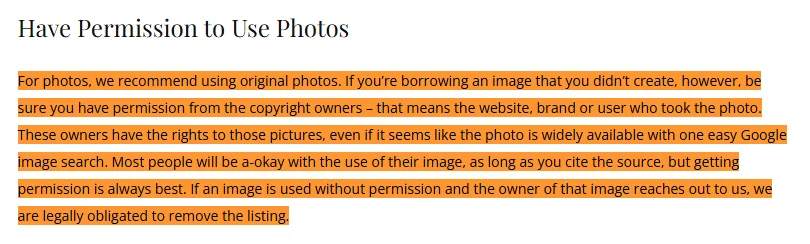
The bigger problem is copyright. Stock and brand photos are generally protected by strict digital copyright rules, and some brands actively flag or remove Poshmark listings that use their images without permission.
If a brand objects, your Poshmark listing will be taken down, and repeated violations will put your Poshmark account at risk.
Many Poshmark sellers still add a stock photo to show fit or styling, usually alongside their own pictures. If you do this, keep it supplementary, never use it as your cover shot, and always lead with real photos.
The Copyright Problem on Poshmark Nobody Wants to Talk About
Here’s where things get real. That amazing item photo on Nordstrom’s website belongs to Nordstrom (or the photographer they hired).
The same goes for images from brand websites, Google Images, and even other Poshmark sellers’ closets.
Poshmark has been clear about this for years: if the owner of a photo contacts them about unauthorized use, they are legally required to remove your listing.
That’s not a maybe. It’s a takedown, and repeated takedowns will put your whole Poshmark closet at risk.
“But everyone does it” is not a defense.
Plenty of Poshmark sellers copy retailer photos and never have a problem. That doesn’t allow you to use stock photos on Poshmark; it just means the copyright owner hasn’t noticed yet.
And copying photos from another Poshmark seller is even riskier!
Poshmark sellers actively report photo theft, and Poshmark sides with the person who took the original photo. Some sellers even watermark their listing specifically to catch copycats.
The bottom line: unless you have permission, someone else’s photo is not yours to use.
When Stock Photos Actually Make Sense on Poshmark?
1. Demonstrating Fit, Silhouette, and Drape
Certain garments, such as asymmetrical dresses, blazers, or oversized knits, lose their shape when laid flat or hung on a basic hanger.

Including a stock photo as a secondary slide enables shoppers to see how the garment molds, drapes, and flows on a human body.
This provides immediate context for proportions, length, and overall silhouette.
You can pair the stock photo with real photos of your actual item to give buyers complete confidence in both fit and physical condition.
2. Accurately Representing Hard-to-Capture Colors
Smartphone cameras frequently distort specific shades, such as deep navy, neon tones, subtle pastels, or rich jewel tones, under indoor lighting.
Shadows and color temperatures can make a bright item appear dull or washed out. Adding a studio stock photo helps capture the precise color balance designed by the brand.
When shoppers compare your crisp, in-person photos against the stock color reference, they gain an accurate expectation of the item’s true hue, preventing miscommunication and unnecessary return requests.
3. Highlighting Brand-New with Tags (NWT) Items
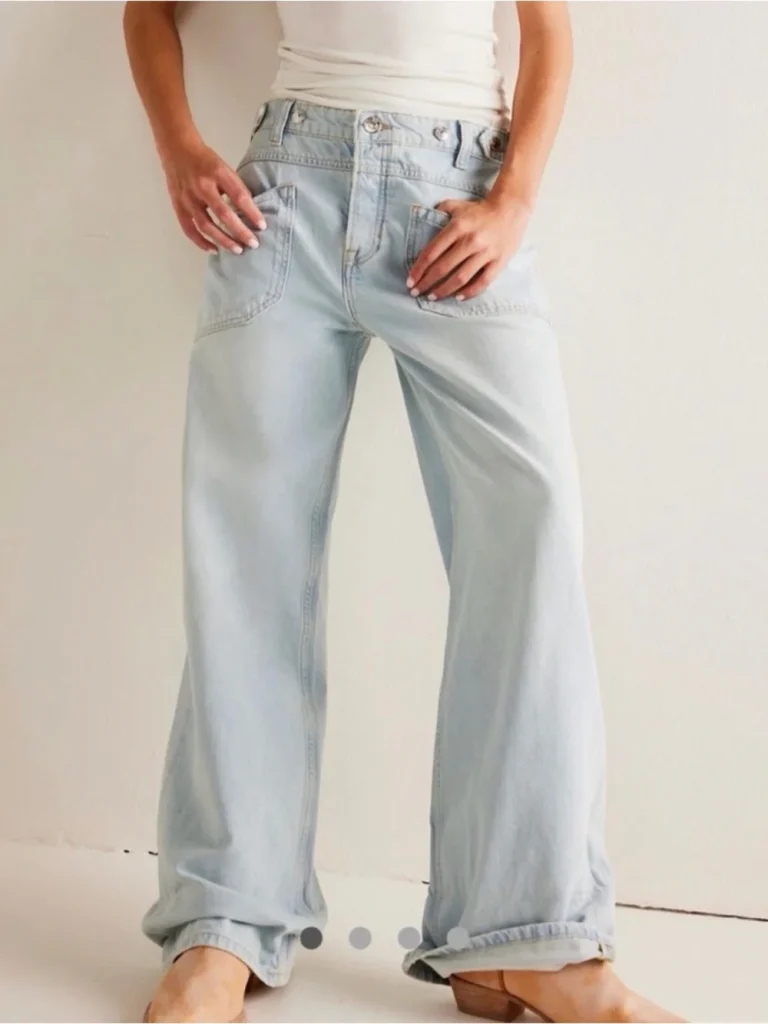
For items that are New With Tags (NWT) or deadstock, a stock photo provides a clean, factory-fresh visual baseline.
It instantly communicates that the item has never been worn, altered, or damaged by personal use.
While Poshmark’s guidelines require your cover shot or primary photos to feature the actual item in hand, adding a brand stock photo in secondary slots reinforces retail quality.
Buyers get store-level presentation alongside your clear original photos verifying physical condition and tag authenticity.
The Golden Rule: Stock Photos Support, Real Photos Sell
Never let a stock photo be the only photo in your Poshmark listing. Even if your item is brand new, Poshmark buyers want proof that your item exists, matches the photos, and is in the condition you claim.
Poshmark gives you up to 16 photos and one video per listing. Use that space. Lead with a strong covershot, then show your actual item from the front, back, and sides, plus close-ups of tags, labels, and any flaws.
Why does this matter so much?
Because of Posh Protect, Poshmark’s buyer protection program. If a buyer receives an item that doesn’t match the listing, they can open a “not as described” case.
If your listing showed only a stock photo and your item arrived with a loose thread, you’ll likely lose the “not as described” case.
Real photos of your actual item are your evidence. They protect you as much as they inform the buyer.
There’s a trust factor, too. Poshmark buyers have learned to scroll past listings that show only stock photos.
Those listings scream “drop-shipper” or “seller who doesn’t actually have this item,” and both are red flags.
Create Your Own Stock Photos with Sidekick Tools
Ok we get it that we can’t use brand stock photos or photos that we don’t own, but what if we can turn our own item photos into stock photos?
This is exactly what Sidekick Tools’ AI stock photo creator does.
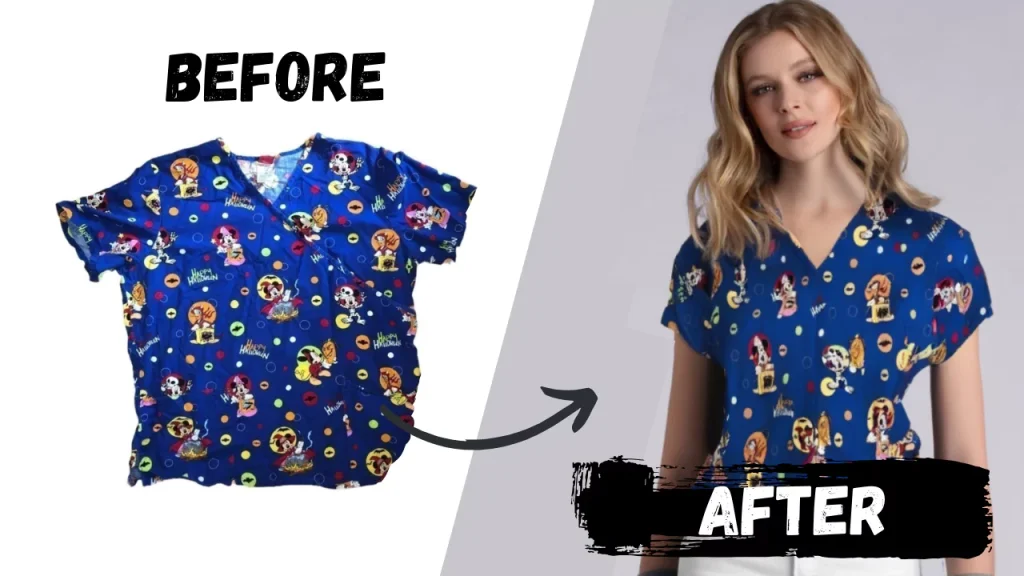
You snap a quick photo of your item, and the stock photo creator turns it into a great stock photo, the kind of photo that used to require a lightbox, a backdrop, and editing software.
Because the stock photo is generated from your photo of your item, you sidestep both of Poshmark’s tests at once.
There’s no copyright issue, since the source photo is yours. And there’s no accuracy issue, since the image shows the exact item the buyer will receive.
Frequently Asked Questions (FAQs)
Will Poshmark delete my listing for using a stock photo?
No, Poshmark will not automatically delete your listing for using stock photos. Listings on Poshmark only get deleted when the image’s owner reports it, or when a buyer flags the listing as misleading.
Can I use the brand’s photo if I bought the item from them?
Buying the item doesn’t buy the photo. The image still belongs to the brand or photographer, so you’d need their permission to use it.
What’s the fastest way to get professional-looking Poshmark listing photos?
Photograph your real item in decent light, then let Sidekick Tools handle the background and polish. That workflow will take minutes and scale across an entire Poshmark closet.