 Skip to content





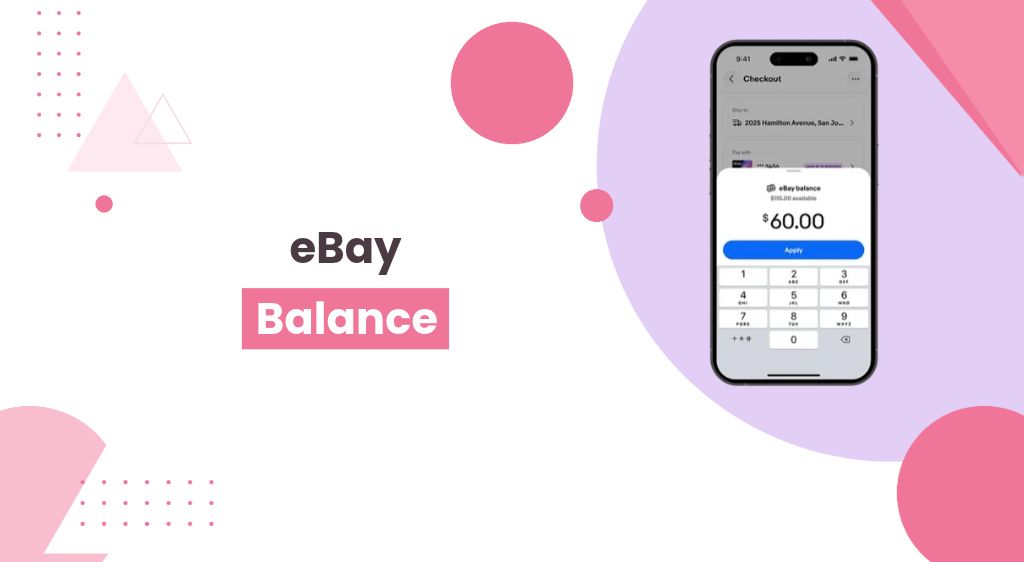
Starting November 4, 2026, eBay began moving US sellers into a new system called eBay Balance. It replaces Spendable Funds, and for most sellers it happens automatically.
The headline sounds like a simple rename. It isn’t. Your payout schedule may have quietly switched off, and your sales money now sits with eBay until you move it.
In this guide, we’ll explain what changed, what the fine print says, and what to do this week to keep control of your cash.
Key Takeaways
- Spendable Funds is now eBay Balance. Eligible US sellers are enrolled automatically after an ID check.
- Payouts default to on-demand. Daily, weekly, biweekly, and monthly schedules were reset, so money stays in eBay until you withdraw it or turn a schedule back on.
- You can’t opt out. Once enrolled, the only way to close your eBay Balance is to close your eBay account.
- Your money earns you nothing there. eBay Balance is not a bank account, has no FDIC pass-through insurance, and eBay keeps any interest earned on pooled funds.
- Standard withdrawals are still free. Express payout costs $2.00.
- Fixed spending limits are gone. They’re now set per seller based on risk and account history.
- Action step: Check your payout schedule in Seller Hub today.
What Changed: From Spendable Funds to eBay Balance
eBay Balance is a stored-value account that holds your sales money inside eBay. Think of it like a gift card balance tied to your seller account, not a bank account.
eBay launched Spendable Funds in 2022 as an opt-in feature. It let sellers spend their earnings on eBay without first sending the money to a bank.
The big shift is consent. Before, you chose to join. Now, eligible sellers are enrolled automatically once eBay verifies their identity.
That makes the old opt-in feature the new default way eBay pays sellers. Here is who that covers and when it kicks in.
Timeline and Who is Affected
The change rolled out in a few steps over October and November 2026.
| Date | What Happened |
|---|---|
| Nov 4, 2026 | Gradual rollout begins; new terms apply to existing balance users; payout schedules reset to on-demand |
| Oct 21, 2026 | New eBay Balance terms take effect for newly enrolled sellers |
| Oct 20, 2026 | eBay emails sellers about new Payments Terms and eBay Balance terms |
| 2022 | Spendable Funds launches as an opt-in feature |
Who gets eBay Balance: eBay’s help page says the rollout targets US private sellers and sole proprietors. The terms themselves also cover US businesses, so larger sellers should expect it eventually.
Who is excluded for now:
- Sellers registered in New Mexico (individuals or businesses)
- Accounts under suspension, restriction, or a payout block
- Sellers who haven’t passed identity verification
When it happens to you: eBay starts the ID check at your first sale (new sellers) or your next qualifying sale (existing sellers). eBay says it will notify you once your balance is turned on.
How eBay Balance Works Day to Day?
Every eBay sale now lands in your eBay Balance first. eBay takes out its fees and taxes, then credits what’s left.
The Three Money Statuses
Your money moves through three labels. Each one controls what you can do with it.
| Status | What It Means | What You Can Do |
|---|---|---|
| Processing | Buyer paid; eBay is clearing it (usually up to 2 business days) | Buy shipping labels, issue refunds |
| Available | Cleared and yours to move | Withdraw, shop on eBay, pay selling costs |
| On Hold | Held for risk, disputes, or legal reasons | Nothing; only used to fund a refund on that order |
One detail stands out. The new terms say On Hold money “does not belong to you” and isn’t counted in your balance until it’s released.
There’s also a mismatch to watch. The terms say Processing funds can be used for purchases, but eBay’s help page says only Available funds can. Expect the help page version in practice.
What You Can Spend It On
- Items you buy on eBay.com
- Shipping labels (choose “Your funds” at checkout)
- Promoted Listings and other eBay ads
- Refunds to your buyers
What You Can’t Do
- Add money from a bank, debit card, or credit card
- Receive payments from anyone except eBay
- Use it outside eBay, like a debit card at a store
eBay can also make your balance the default payment at checkout. You can switch to another method before you pay, so glance at checkout before you click “Confirm.”
Getting Money Out
You can still send Available funds to your linked bank account. Standard payouts are free; Express payouts cost $2.00.
eBay added an extra screen to on-demand withdrawals. It now nudges you to “shop for the things you love” before you reach the withdraw button.
New accounts may also wait up to 12 hours before the first withdrawal works. Plan around that if you need cash fast right after enrollment.
Spendable Funds vs. eBay Balance
| Feature | Spendable Funds (Before) | eBay Balance (Now) |
|---|---|---|
| How you join | You opted in | Automatic after ID check |
| Leaving | Only by closing your eBay account | Same: only by closing your eBay account |
| Default payout | Your existing schedule | On-demand (schedules reset) |
| Spending limits | Fixed: $2,000 per transaction or 24 hours; $5,000 per 30 days | Dynamic, based on your risk profile and history |
| Who can change limits | eBay could raise or waive | eBay can raise, lower, or waive |
| On Hold funds | Counted in Total Balance | Not counted; terms say they aren’t yours yet |
| Interest | None to you; eBay keeps it | None to you; eBay keeps it |
| FDIC pass-through | No | No |
| Add outside money | Not allowed | Not allowed |
The limit change cuts both ways. A trusted seller may get higher limits, but eBay can also lower yours without a fixed floor.
Also Read: eBay vs Poshmark: Where Should You Sell?
The Fine Print Most eBay Sellers Will Miss
eBay’s announcement email didn’t spell out every change. These points come straight from the new eBay Balance terms.
Your Money is Pooled, and eBay Keeps the Interest
eBay can combine your funds with other customers’ money and invest it. Any interest earned goes to eBay, not you.
This rule has existed since October 2023. What’s new is scale: on-demand payouts mean more seller money may sit with eBay for longer.
It’s Not a Bank Account
eBay Balance is a “stored value” account. That means it isn’t a deposit, and it has no FDIC pass-through insurance.
In plain terms, your balance is a promise from eBay Commerce Inc. to pay you. It is not money held in your name at a bank.
Holds and Freezes Still Apply
eBay can hold funds for fraud checks, disputes, ID problems, or legal orders. It can also cancel or freeze a payout already in motion.
eBay says it will message you about holds, unless the law blocks it from telling you.
The 330-Day Auto-Payout Rule
If money sits untouched, eBay will send it to your bank automatically. The timing is worded two ways, though.
The terms: no more than 330 days after your most recent sale, if you haven’t withdrawn.
The help page: after 330 days with no activity, such as earning, spending, or withdrawing.
Either way, don’t treat your balance as long-term storage.
Dormant Accounts Can Lose Funds to the State
If you don’t log in for two years or more, eBay may close the account. Leftover funds then go to your state’s unclaimed property office.
You can still claim them later, but it means paperwork with your state.
Security Locks You Should Expect
1. Changing your phone number can block balance purchases for up to 48 hours.
2. Changing your name or address can trigger a new ID check.
3. Failing an ID check pauses both your balance and your payouts until it’s fixed.
Scheduled Payouts Aren’t Guaranteed Forever
eBay reserves the right to change or end scheduled payout options, with notice. It already removed automatic scheduled payouts for UK private sellers in 2024 and in Australia’s Free Selling program.
That history matters. Sellers who depend on automatic deposits should keep an eye on future terms updates, which can take effect 14 days after notice.
Disputes Go to Arbitration
The balance terms tie into eBay’s arbitration agreement. Unless you opt out, claims go to private arbitration on an individual basis, not a class action.
With the rules laid out, the real question is whether this helps or hurts your business.
Is eBay Balance Good or Bad for Sellers?
It depends on how you run your business. For some eBay sellers it’s handy; for others it’s mostly a cash-flow risk.
Who It Helps
1. Resellers who source on eBay. Card, coin, and parts flippers can buy inventory with sales money right away, with no bank round trip.
2. Sellers who buy lots of labels or ads. Processing funds can pay for shipping labels before they clear.
3. Bargain hunters through year-end. eBay is offering 5% off eligible purchases paid with eBay Balance through December 31, 2026. Read the promo terms first.
Who It Hurts
1. Sellers who need steady deposits. If your schedule reset and you didn’t notice, rent and supplier money may be stuck in eBay.
2. Sellers with tight margins. Money in eBay Balance earns you nothing, while it could sit in a high-yield account.
3. Sellers who want a clean wall between eBay and their bank. You can no longer stay out of the balance system and keep selling.
The Hidden Cost: “Float”
Float is money that sits in someone else’s account before it reaches yours. Whoever holds the float earns the interest.
Here’s a simple example with made-up but realistic numbers. Say you sell $4,000 a month and withdraw just once a month instead of daily.
Your balance would average about $2,000 sitting in eBay. At a 4% yield, that’s roughly $80 a year in interest you’re not earning.
That’s small for one seller. Across millions of sellers, it adds up fast, which helps explain why eBay wants on-demand to be the default.
How to Turn Your Automatic Payouts Back On
You can’t opt out of eBay Balance itself. But you can make it work almost like before by restoring a payout schedule.
1. Open Seller Hub and go to the Payments tab.
2. Scroll down to Payouts. If it says only “on-demand,” your schedule was reset.
3. Click the arrow next to Payout schedule.
4. Slide the toggle to turn scheduled payouts on.
5. Pick your frequency: daily, weekly, biweekly, or monthly.
6. Scroll down, click Save, and confirm the page shows your new setting.
Which Schedule Should You Pick?
The new terms say a schedule of at least weekly keeps on-demand withdrawals turned on too. Biweekly or monthly schedules may keep your money in “Processing” longer.
Under the older Spendable Funds settings, picking daily turned off on-demand withdrawals. Check what your screen says after saving.
Our take: Weekly is the safest middle ground for most sellers. You get regular deposits plus the option to pull cash early.
Frequently Asked Questions (FAQs)
Can I opt out of eBay Balance?
No. Once enrolled, using it is a condition of your eBay account. The only way out is closing your eBay account.
Does it cost anything to withdraw?
Standard payouts are free. Express payouts cost $2.00 per withdrawal.
Do I need to re-link my bank account?
No. eBay says your existing linked account carries over without re-verification.
Is my money safe in eBay Balance?
It’s held by eBay Commerce Inc., not a bank. It has no FDIC pass-through insurance, so don’t park large sums there long term.
Can I add money to my eBay Balance?
No. Only eBay sales proceeds, credits, and refunds from balance purchases can go in.
What happens if I forget about my eBay Balance?
eBay will auto-pay it to your bank after about 330 days. If you don’t log in for two years, it may go to your state’s unclaimed property office.
I’m in New Mexico. Does this apply to me?
Not right now. Sellers registered in New Mexico are excluded from eBay Balance for now.
Why can’t I see my held funds anymore?
eBay moved On Hold and Processing totals to the “All Transactions” page. They’re one extra click away.


