Skip to content

Have you ever opened Mercari and noticed a discount went out to a buyer that you never approved?
If that made your stomach drop, you are not alone.
Many Mercari sellers run into this exact surprise, and most of them have no idea where the setting even lives.
This guide will walk you through how to turn off auto offers on Mercari, why the feature behaves the way it does, and what smarter sellers use instead.
What Are Auto Offers on Mercari?
Mercari does not have a single button labeled “auto offers.” The behavior actually comes from how Mercari’s offer to likers feature works behind the scenes.
When you send an offer to likers once, Mercari remembers it. Then, when a new person likes that same item later, Mercari automatically resends your last discount offer to them after a short delay.
So, the “auto offer” you keep seeing is really your own old offer being recycled. Mercari repeats it to every new liker unless you tell it to stop.
That matters because the fix is not inside your listing. It hides in your promotion settings, which is exactly why so many sellers can’t find it.
Why Mercari Sellers Want Auto Offers Turned Off?
It locks in old discounts. If you once sent a desperate 25% off offer to clear inventory, Mercari may keep resending that same deep discount to new likers for weeks.
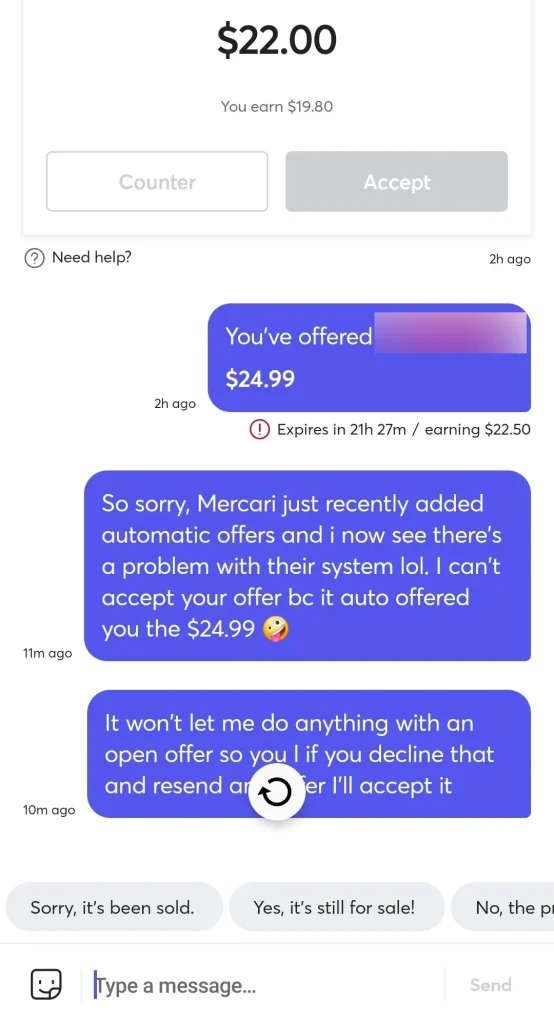
Offers on Mercari are binding. The moment a liker accepts, the sale is final at that price on Mercari. There is no “actually, never mind” button once someone taps accept.
It ignores your current strategy. Maybe the item became rare, or demand picked up. The auto-sent offer doesn’t know that. It just repeats yesterday’s price.
It stacks with price-drop rules. Each new offer to likers must be at least 10% below your item’s historical lowest price. Automated resends can quietly push your margins toward the floor.
How to Turn Off Auto Offers on Mercari?
1. Open the Mercari app and log in to your seller account.
2. Tap your Profile icon in the bottom-right corner.
3. Scroll down and tap Promotion settings.
4. Tap Offer to likers.
5. You will see delay options for when Mercari resends your last offer to new likers.
6. Select “Do not send.”
That’s it. Once you choose “Do not send,” new likers will no longer receive your last offer automatically.
You can still send Offers to Likers manually anytime you want. Turning this off only stops the automatic resends, not your ability to negotiate.
What Happened to Mercari Smart Offers?
If you are searching for the old Smart Offers feature on Mercari, stop looking!
Mercari discontinued that feature, which let you set a minimum price so the system could auto-accept or auto-counter incoming offers.
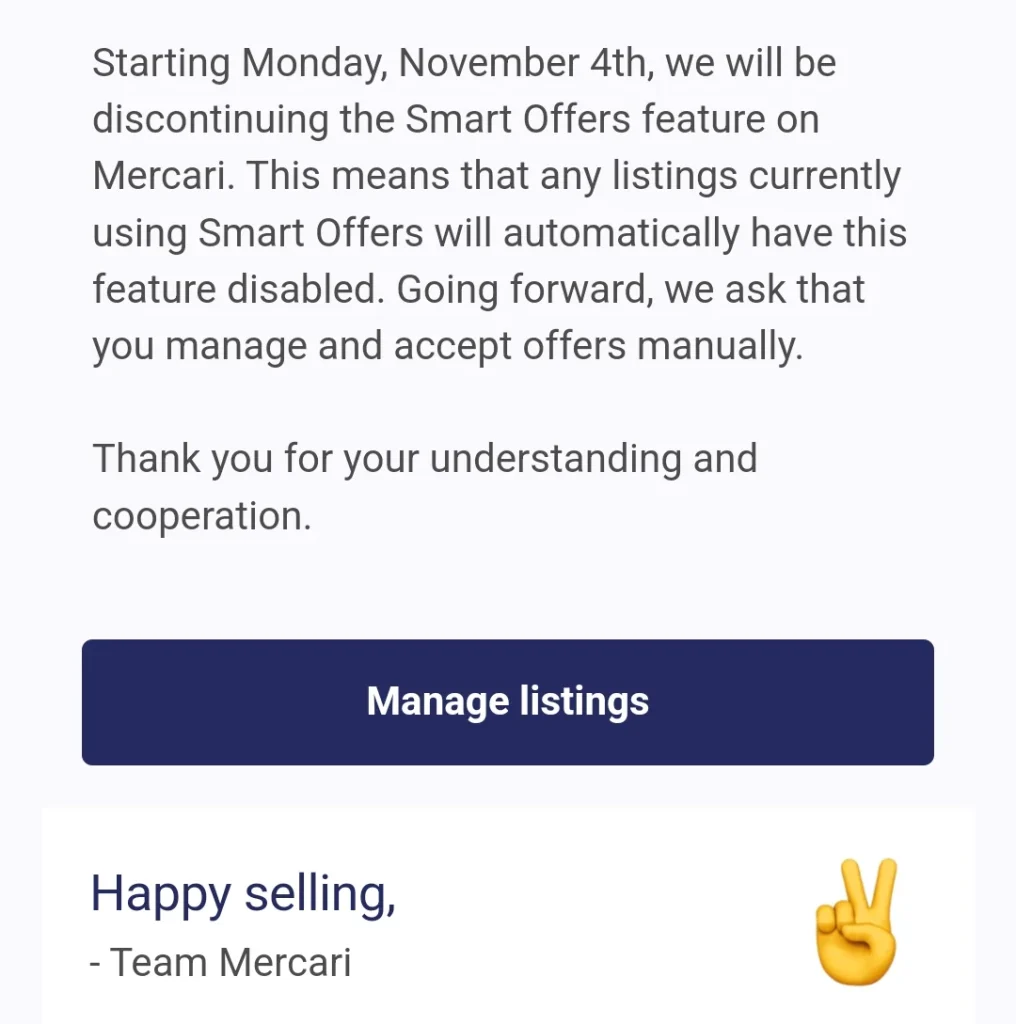
Its removal caught many Mercari sellers off guard because it disappeared with little notice. So, if a tutorial tells you to flip the Smart Offers switch inside your listing, that advice is outdated.
The Real Problem Isn’t Automation — It’s Bad Automation
Here’s the honest truth: turning off auto offers will hurt your Mercari sales if you replace it with nothing. Offers to likers genuinely convert, because a liker is already halfway to buying.
The problem with Mercari’s Auto Offers feature is control, not automation itself. You can’t fine-tune the discount per situation, and the platform simply recycles whatever you sent last.
So, the smart move isn’t “no automation.” It’s automation that follows your rules instead of Mercari’s defaults.
A Better Alternative: Sidekick Tools Send Offer Tool
This is where Sidekick Tools’ Send Offer Tool comes in. It automates offers to likers on Mercari — plus Poshmark, eBay, and Depop — but keeps you in the driver’s seat.
Instead of Mercari blindly resending an old offer, Sidekick enables you to set your own offer rules. You decide the discount percentage, so a stale 25%-off panic offer never haunts your new likers.
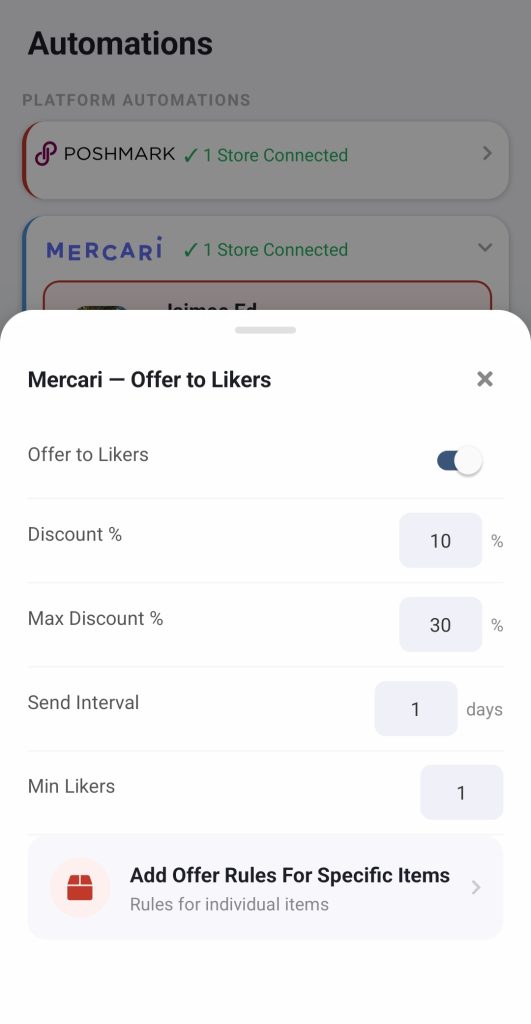
The send offer tool within the Sidekick Tools app sends smart, timely offers the moment Mercari buyers show interest. That means you capture the “hot” window when a liker is most ready to buy, without babysitting your phone.
It also protects your profits by design. You set discounts that keep your margins healthy, rather than racing toward the 10%-below-lowest-price floor that Mercari’s system encourages.
For resellers working across multiple marketplaces, this is the bigger win. One app handles offers on four marketplaces, replacing four different settings menus with one clear strategy.
If you sell more than a handful of items, that time savings adds up fast. You get the sales lift of automatic offers with none of the “wait, who approved that discount?” moments.
Frequently Asked Questions (FAQs)
Does turning off auto offers stop me from sending offers manually on Mercari?
No. It will only stop Mercari from automatically resending your last offer to new likers. You can still send offers to likers manually whenever you choose.
Where is the auto offer setting on Mercari?
Go to your Mercari profile, tap Promotion settings, then tap Offer to likers. Select “Do not send” to disable automatic offers to new likers.
Are Mercari offers binding if a buyer accepts?
Yes. Once a liker accepts your offer, the purchase is binding at that price. That’s exactly why unattended automatic offers can be risky.
What happened to Mercari’s Smart Offers feature?
Mercari discontinued Smart Offers, which previously auto-accepted or auto-countered buyer offers based on your minimum price.
How much do I have to discount for an offer to likers on Mercari?
A new offer to likers must be at least 10% lower than the item’s historical lowest price, and it can never drop below $1. The offer reaches up to 50 of your most recent likers and stays valid for 24 hours.
Is there a safer way to automate offers on Mercari?
Yes. Apps like Sidekick Tools let you automate offers while setting your own discount rules and timing. You get the convenience of automation without losing control of your margins.
Will turning off auto offers hurt my sales on Mercari?
It can, if you stop sending offers entirely, because likers convert well. The better approach is sending controlled offers — manually or through the Sidekick Tools app — so you keep the conversions without unwanted discounts.