Skip to content


If you list one item a week on eBay, setting shipping manually is fine. If you list fifty, it slowly eats your day.
That is the exact problem eBay business policies solve. They turn your shipping rules into a saved template you pick once and reuse forever.
In this guide, we’ll walk you through every aspect of eBay business policies. You will learn how to opt in to eBay business policies, what each field means, and what has changed in eBay business policies in 2026.
What Are eBay Business Policies?
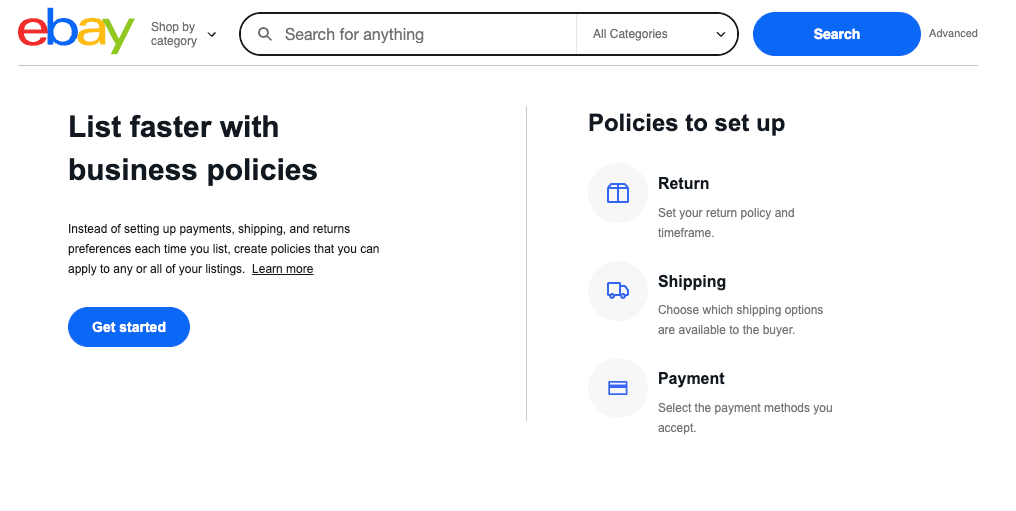
eBay business policies are saved templates that hold your selling preferences. Instead of filling in the same details on every listing, you build the template once and attach it.
eBay offers three types of policies. Each one covers a different part of the eBay sale.
| Policy Type | What It Controls |
| Payment | How buyers pay, and whether immediate payment is required for “Buy It Now” items. |
| Shipping | Carriers, services, costs, handling time, and destinations. |
| Return | Whether you accept returns, the return window, and who pays return shipping. |
Every eBay listing needs one of each. You must have at least one payment, one shipping, and one return policy per eBay marketplace.
Payment and return policies are usually set-and-forget. The shipping policy is the one you will actually tune, so most of this guide focuses there.
Who Can Use eBay Business Policies?
eBay business policies are free and open to sellers on eBay’s main marketplaces. You do not need a store subscription to use them.
There is one catch worth knowing. eBay business policies are tied to a single marketplace, so policies you build on eBay.com will not work on eBay.co.uk, eBay.de, or eBay.ca.
If you sell on more than one eBay marketplace, you’ll need to build a separate policy set on each one. Plan for that before you scale internationally.
How to Opt In to eBay Business Policies?
Business policies are opt-in, which means the feature is off until you turn it on. Turning it on takes under a minute.
Step 1. Sign in to your eBay seller account.
Step 2. Go to the business policies page in the Account section of My eBay. In Seller Hub, you will find it under Settings, or from the Listings tab under Business Policies.
Step 3. Select Opt in. eBay switches the feature on for your account right away.
Step 4. Wait a moment while eBay reads your active listings. It builds starter policies from the settings you already use.
Those starter policies are a helpful base, but they are rarely tidy. You will need to rename them and trim the duplicates.
You can also opt out of business policies later if you change your mind. Your eBay listings will keep their settings, they’ll just stop being managed by templates.
Understanding eBay Business Shipping Policy
The eBay business shipping policy looks simple on screen. Each field, though, changes what buyers see and what you get paid.
Here is what each part does, in the order you meet it.
1. Policy Name and Description
The name is for you, not the buyer. Buyers never see it, so make it useful for your own sorting.
Vague names like “Shipping 1” become a mess by policy number twelve. Descriptive names like “US Flat 1-8oz Ground Advantage” stay clear at policy number fifty.
A good naming pattern includes region, price type, and weight or service. Pick one pattern and stick to it.
2. Domestic Shipping Type
This is the biggest choice in the shipping policy. You pick how the shipping price is worked out.
Flat rate charges every buyer the same amount, no matter where they live. It is predictable and easy for buyers to understand.
Calculated charges the real carrier cost based on the buyer’s ZIP code plus your package weight and size. It protects you on heavy or bulky items.
Free shipping means you’ll bear the cost and advertise $0 to the buyer. It often lifts conversion, but you must include the cost in your item price.
Local pickup lets buyers collect in person, and you supply your item’s ZIP code. Freight covers oversized items that normal parcel carriers will not take, like furniture or appliances.
One freight note is easy to miss. Freight labels cannot be bought through eBay Labels, so you buy those directly from the carrier.
3. Shipping Services
Under your chosen type, you pick the actual services buyers can choose. You can list a main service plus additional options.
Generic service names like “Standard Shipping” keep you flexible. You promise a delivery speed, not a specific carrier, so you can pick the cheapest label at pack time.
Naming a specific service like USPS Ground Advantage is more precise but locks you in. Use it when the service really matters, such as Media Mail for books.
Adding four choices rarely helps. One clear option, or two at most, reduces buyer hesitation at checkout.
4. Handling Time
Handling time is the number of business days you need to get the parcel scanned by the carrier. It is not measured in 24-hour blocks.
With 1-day handling, a Monday order must be scanned by 11:59 pm Tuesday. A weekend order must be scanned by 11:59 pm Monday.
Weekends and holidays are not counted as shipping days. USPS holidays push your handle-by date to the next business day.
eBay recommends handling time of no more than 2 days, and shorter is better. Same-day and 1-day handling also unlock Top Rated Plus.
If you offer same-day handling, set a cut-off time in Shipping Preferences. Orders after the cut-off roll to the next business day.
5. Cost Per Additional Item
This field sets what a buyer pays for each extra item in the same order. It is your simplest lever for growing order size.
A small charge, or none at all, nudges buyers to add more. A full second shipping charge usually kills the second sale.
6. Handling Cost
You can add a packaging or handling charge on top of the shipping rate. It covers boxes, mailers, tape, and labels.
There is one hard rule here. You cannot add a separate handling fee when the listing advertises free shipping.
7. International Shipping
Here you decide whether you ship abroad, and how. You have two routes.
You can ship on your own by choosing countries, services, and either flat or calculated rates. You handle the customs forms and the international leg.
Or you can use eBay International Shipping, where you only ship domestically. There is a full section on that below.
8. Excluded Locations
Exclusion lists let you block regions or single countries you do not want to serve. Common picks are remote regions, PO boxes, or markets with heavy customs friction.
Exclusions live inside the shipping policy, so one edit updates every listing that uses it. That beats editing listings one at a time.
9. Package Details
Calculated shipping needs weight and dimensions to work. Enter the packed weight, not the bare item weight.
You can also flag irregular packages that are not a normal box shape. Wrong dimensions are the top cause of calculated rates that undercharge you.
10. Rate Tables
Rate tables let you set different prices by region. You attach the table to the policy with a single checkbox and dropdown.
You can hold up to 60 rate tables on your account. Each one supports up to five US regions plus international destinations.
Tables can price by item, by weight, or by surcharge. The surcharge option, which adds a regional premium on a base cost, is domestic only.
Rate tables only work with flat shipping, not calculated or local pickup. Keep them for cases where geography really changes your cost, like heavy items shipped cross-country.
How to Create Your First eBay Business Shipping Policy?
Creating an eBay business shipping policy takes about two minutes once you know what you want. Here is how to create one.
Step 1. Open the eBay business policies dashboard in your account settings.
Step 2. Select Create policy, then choose Shipping.
Step 3. Name it clearly, and add a short description of what it is for.
Step 4. Choose your domestic shipping type: flat, calculated, free, freight, or local pickup.
Step 5. Pick your services and set the cost, plus any cost per additional item.
Step 6. Set your handling time using real business days, not your best-case day.
Step 7. Add international shipping if you want it, then set your excluded locations.
Step 8. Choose a rate table if you use one, then select Save.
Repeat this for each shipping situation you handle. Most eBay sellers need four to eight shipping policies, not thirty.
How to Apply Shipping Policies to Your eBay Listings?
There are three ways to apply a shipping policy, and each fits a different moment.
New listings. In the listing form, pick your shipping policy from the dropdown instead of typing details. Your fields fill in instantly.
Bulk edit. Use eBay’s bulk editing tools to reassign a shipping policy across many live listings at once. This is how you migrate old inventory.
The eBay app. Tap the pencil icon next to the Delivery or Preferences section while listing. The app shows up to 26 of your most-used policies per type.
There is also a useful escape hatch. You can override the shipping cost on a single eBay listing without building a whole new shipping policy.
Use overrides sparingly. Too many one-off overrides defeat the point of templates.
Editing, Copying, and Cleaning Up eBay Business Policies
Updating one policy updates every eBay listing that uses it. That single behavior is the biggest time-saver in the whole system.
Let’s say a carrier raises rates. You edit one policy, save, and every attached listing reprices itself.
A few limits apply. Listings that cannot be revised, such as auctions with bids or ended items, may not pick up the change.
Sometimes eBay cannot apply an update to certain listings. It can then create a “Copy of” version of the policy so those listings keep working.
Copy duplicates a policy so you can make a variation fast. It beats rebuilding a near-identical policy from scratch.
Combine shipping policies merges near-duplicate policies that differ only by cost. It is the fastest way to shrink a bloated list.
Delete removes a policy you no longer need. If it is attached to live listings, you must reassign those listings first.
eBay does not have a hard cap on how many business policies you can create. Still, fewer and clearer beats many and messy.
eBay Business Shipping Policy That Actually Scales
Most eBay sellers do best with a small set of weight-based flat policies plus one calculated policy for outliers. Flat rates are easier for eBay buyers to judge and easier for you to audit.
Here is a practical shipping structure for an eBay seller in the US.
| Policy name | Use case | Setup |
| US Free — Under 8 oz | Small, light, higher-margin items | Free shipping, 1-day handling |
| US Flat — 9 to 16 oz | Mid-weight items | Flat rate, small additional-item cost |
| US Flat — 1 to 4 lbs | Bulkier items | Flat rate, 1 to 2 day handling |
| US Calculated — Over 4 lbs | Heavy or bulky items | Calculated, exact package details |
| US Media Mail | Books, DVDs, CDs | Media Mail service, flat rate |
| Envelope — Cards and Stamps | Trading cards, coins, stickers | eBay standard envelope |
| International — eIS | Global sales, low effort | eBay International Shipping |
| Local Pickup Only | Furniture, large or fragile goods | Local pickup, no shipping |
Trim this list to what you actually sell. An unused policy is just clutter in a dropdown.
Migrating is easier if you go in stages. Apply the new set to fresh listings first, then bulk-update older listings by category or weight band.
Handling Time and Delivery Dates
eBay buyers do not see your handling time. They see an estimated delivery date, which eBay builds partly from it.
That estimate also uses your past delivery performance, the carrier’s performance, the services you offer, your item location, and the buyer’s address. Network delays can add time too.
So, handling time is a promise with consequences. Promise 1 day and ship in 3, and your metrics take the hit.
Set handling time around your worst normal week, not your best day. If you ship three days a week, a 2-day handling time is honest and safer than 1.
Then beat it when you can. Shipping early will help you get good feedback without adding risk.
How Shipping Policies Affect an eBay Seller’s Performance?
eBay measures shipping through two numbers. Both are influenced directly by your business shipping policy settings.
Late Shipment Rate: Tracks orders where tracking was not uploaded and scanned within your stated handling time. To stay Top Rated, this must be 3% or less, with five or fewer late shipments.
Tracking Uploaded on Time and Validated: Must cover 95% of transactions with US buyers. Using eBay Labels helps, because tracking uploads to the order automatically.
Top Rated Seller status also needs an account active for at least 90 days, plus 100 transactions and $1,000 in sales with US buyers over 12 months. Your defect rate must be 0.5% or lower, and cases closed without resolution 0.3% or lower.
Top Rated Plus: Adds two shipping-and-returns conditions. You need same-day or 1-business-day handling, plus a free return window of 30 days or longer.
The reward is real money. Top Rated Plus listings earn a 10% discount on final value fees and show the Top Rated Plus seal in search.
That fee discount is decided almost entirely inside your shipping and return policies. It is worth designing them with the discount in mind.
Controlling Your Actual Shipping Costs
Your shipping policy sets what buyers pay. eBay Labels decides what you pay.
eBay Labels offers negotiated rates with USPS, FedEx, and UPS. Fuel, handling, and residential surcharges are already built into the quoted label price.
Bulk buying helps at volume. You can buy labels for up to 200 orders in one batch, and generate a SCAN Form for USPS pickups of five or more packages.
Mistakes are fixable. Unused labels can be canceled within 28 days, with carrier refunds taking up to 21 days, and labels can be reprinted free within 7 days.
There is one exception. eBay standard envelope labels cannot be canceled once printed.
For very light goods, eBay standard envelope is hard to beat. It covers trading cards, coins and currency, stamps, postcards, greeting cards, patches, stickers and decals, and seeds.
The limits are strict. Envelopes must weigh 3 oz or less, sit between 3.5″ x 5″ and 6.125″ x 11.5″, and keep a uniform thickness of 0.25″ or less.
Pricing starts around $0.78 for 1 oz, $1.07 for 2 oz, and $1.36 for 3 oz, and tracking is included. Card and stamp sellers should build a dedicated policy for this.
One more limit applies across the board. Some categories carry maximum shipping cost caps, and the listing tool will block you if your rate exceeds the cap for that category.
eBay International Shipping
Selling internationally expands your buyer pool, but it adds customs, duties, and longer transit. eBay gives you two ways to handle that.
Path 1: Ship It Yourself
You choose the countries, the services, and your rates. You also fill out the customs forms yourself.
For USPS, that usually means form 2976 or 2976-A, depending on value and service. Descriptions must be specific, so “men’s cotton shirts” works and “clothing” does not.
Buyers normally pay duties, taxes, and customs clearance fees. Say so plainly in your listing to avoid disputes.
Items over $2,500 add paperwork. You must file with the U.S. Census Bureau and get a Proof of Filing Citation.
This path gives the most control. It also gives you the most work and the most risk.
Path 2: eBay International Shipping (eIS)
With eIS, you ship only within the US. eBay gives you a domestic shipping hub address, and handles everything after that.
eBay manages customs, international tracking, and the international portion of delivery. If an item is lost or damaged on the international leg, eBay works with the buyer to resolve it.
The pricing is straightforward. There is no extra charge to use eIS and no international fee, while buyers pay the domestic cost plus eBay’s international rate.
Eligibility has conditions. You need Above Standard or Top Rated performance, eligibility for seller protections, and Low or Average service metrics.
Items must be located in the US, exportable, and under $2,500 in total value. Size limits are 48″ in length, 84″ length plus girth, and 44 lbs billable weight.
Returns work differently here. eIS applies a 30-day return window, eBay refunds the buyer, and you keep the sale, with items usually not shipped back to you.
Eligible sellers are enrolled automatically. You can opt out in Shipping Preferences, and opt back in 24 hours later.
One policy detail catches people out. If your listings already offer your own international services, buyers can choose those instead of eIS, so remove them if you want eIS only.
How Shipping Connects to Your Payment and Return Policies?
Your three eBay policy types are judged together by buyers at checkout. A fast handling time loses some of its power next to a weak return offer.
Payment Policy
Most sellers need only one payment policy. eBay’s managed payments handle the methods, so there is little to configure.
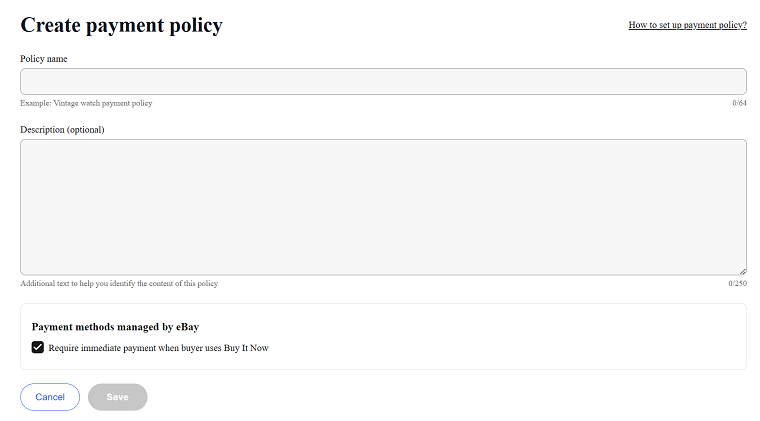
The one setting worth checking is immediate payment for Buy It Now listings. It stops unpaid orders from tying up your stock.
Higher-value categories may also support deposits or partial payments. Check what applies to your category before you assume.
Return Policy
You can choose 14 days (limited categories), 30 days, or 60 days, or accept no returns. You also choose whether the buyer or you pay return shipping.

Thirty-day free returns is the sweet spot for most eBay sellers. It is the level buyers expect, and it is required for Top Rated Plus.
Free returns also unlock protections for US sellers on eBay.com with 30-day-or-longer returns. Those include return label credits of up to $6 per claim and the ability to deduct up to 50% for items returned used or damaged.
Two policies are usually enough. Keep one default, and one for special cases like final-sale or oversized goods.
What Changed in eBay Business Policies in 2026?
There are two major changes in eBay business policies in 2026.
1. Vehicles Category Exclusion
From July 20, 2026, eBay business policies no longer apply to Vehicles listings, so eBay sellers who’re selling vehicles on the marketplace will have to set those details listing by listing.
2. Managed Shipping Groundwork in the US
eBay’s User Agreement update effective June 28, 2026, added shipping terms that allow eBay to require eligible sellers to use eBay shipping and eBay-supplied labels.
Under those terms, buyer-paid delivery costs go to eBay for the label supplied to you. eBay sellers offering free shipping would see the cost deducted from their account.
The terms also cap loss and damage coverage at $200, and put return shipping costs on the seller. Read them before assuming your current setup is permanent.
Right now this is limited testing, not a general rollout. eBay’s US test has been invitation-only, aimed at clothing, shoes, accessories, and jewelry items priced at $200 or less in selected Northeast ZIP codes.
For most sellers, nothing changes today. Still, create your business policies so you could adjust quickly if managed shipping expands.
Frequently Asked Questions (FAQs)
Do eBay business policies cost anything?
No. They are a free tool for eBay sellers.
How many eBay shipping policies should I have?
Most eBay sellers do well with four to eight. Create one per real shipping situation, not one per item.
Will editing a business policy change my live eBay listings?
Yes. Every compatible listing using that policy updates automatically, though some non-revisable listings may not.
Do my eBay.com policies work on eBay.co.uk?
No. eBay business policies apply to one marketplace only, so each marketplace needs its own set.
Can I delete an eBay business policy in use?
Not directly. You’ll have to reassign the affected listings to another policy first.