Skip to content

If you sell on eBay, your listings are already doing the hard work. Your photos are shot, your titles are written, and your prices are set.
So why let all that effort reach only one group of buyers? Poshmark has 130+ million shoppers actively hunting for fashion, shoes, and accessories every day.
Crosslisting from eBay to Poshmark will put your existing eBay listings in front of a whole new audience. And with the right crosslisting tool, you can do it in minutes instead of hours.
In this guide, we’ll walk you through exactly how to crosslist from eBay to Poshmark — both manually and automatically with the Sidekick Tools app.
What Is Crosslisting?
Crosslisting means posting the same item for sale on more than one marketplace at the same time. For example, listing your Nike sneakers on eBay and Poshmark instead of just one.
The item stays in your inventory until it sells somewhere. Once it sells on one platform, you remove (delist) it from the others so you never sell the same item twice.
Think of it like opening a second store location without paying extra rent. Same products, double the foot traffic.
Why Crosslist From eBay To Poshmark?
Before we get into the how, let’s cover the why. Here’s what crosslisting does for your online reselling business.
1. You Reach a Different Buyer
eBay attracts bargain hunters and collectors across every category. Poshmark attracts fashion-focused shoppers who love brands, styles, and social shopping.
An item that sits unsold on eBay for months can sell on Poshmark in days — simply because the right buyer shops there.
2. Your Items Sell Faster
More eyes on your listings means more likes, more offers, and more sales. Many resellers report their sell-through rate jumps once they start crosslisting.
Faster sales also mean faster cash flow. That lets you reinvest in new inventory sooner.
3. You Protect Your Income
Relying on one marketplace is risky. If eBay changes its algorithm, raises fees, or suspends your account, your income will stall overnight.
Crosslisting spreads that risk. If sales slow on one marketplace, the other keeps your business moving.
eBay vs. Poshmark: Key Differences to Know First
Now that you know why crosslisting matters, let’s look at how the two marketplaces differ. Understanding this will help you adjust your listings the right way.
– Categories: eBay sells almost everything. Poshmark focuses on clothing, shoes, accessories, beauty, and select home goods. So, only crosslist items that fit Poshmark’s categories.
– Photos: Poshmark uses square photos and allows up to 16 images. Clean, bright, square-cropped photos perform best there.
– Titles: eBay rewards long, keyword-stuffed titles. Poshmark titles are shorter (50 characters), so lead with brand, item type, and size.
– Fees: Poshmark takes a flat 20% on sales over $15 (or $2.95 under $15). Factor this into your pricing.
– Shipping: Poshmark uses a flat-rate USPS Priority label paid by the buyer. You don’t need to calculate shipping like on eBay.
How to Crosslist From eBay to Poshmark Manually?
The manual crosslisting method costs nothing but your time. Here’s how it works.
Step 1: Open your eBay listing. Pull up the item in your eBay Seller Hub so you can copy the details.
Step 2: Save your photos. Download the images from your eBay listing to your phone or computer. Crop them square for Poshmark.
Step 3: Create a new Poshmark listing. Open the Poshmark app, tap “Sell,” and upload your item photos.
Step 4: Rewrite your title. Trim your eBay title down to 50 characters. Keep the brand, item name, size, and color.
Step 5: Copy and adjust the description. Paste your eBay description, then add Poshmark-friendly details like measurements and condition notes.
Step 6: Set your category, size, and price. Fill in Poshmark’s required fields and price the item with the 20% selling fee in mind.
Step 7: Publish and track it. Hit “List” and note the item in a spreadsheet so you remember it’s live on both eBay and Poshmark.
That’s the full process, and it takes about 10 minutes per item. If you have 100 items, that’s around 17 hours of copying and pasting.
There’s also a bigger problem!
If an item sells on eBay, you must rush to delete it from Poshmark before someone buys it there too. Miss it, and you’re canceling orders and risking negative reviews.
This is exactly why smart resellers use the Sidekick Tools app instead.
Also Read: How to Relist on Poshmark
How To Crosslist From eBay To Poshmark Using the Sidekick Tools App?
1. Download the Sidekick Tools app on your phone and log in to your account.
2. Next, link your eBay and Poshmark accounts inside the app.
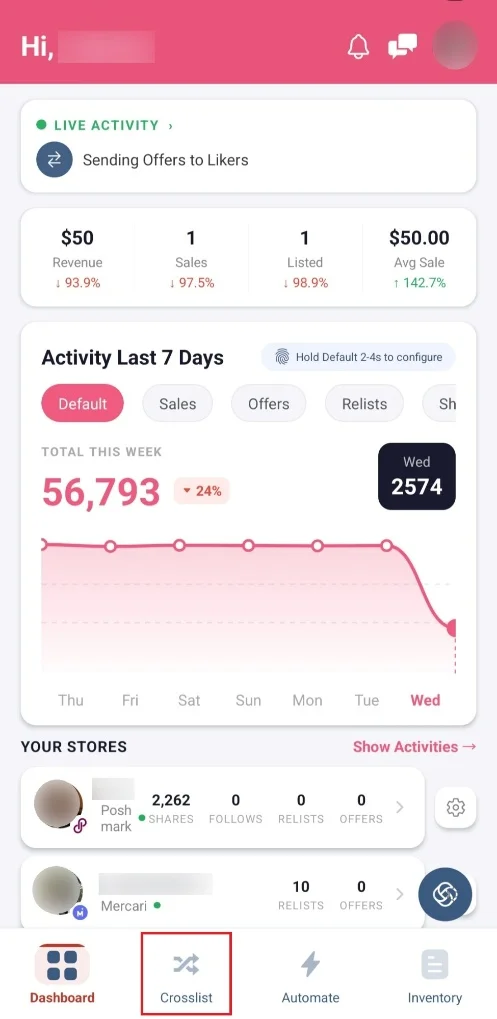
3. Then, tap the “Crosslist” tab at the bottom of your screen.
4. Go to the “Quick Actions” section, and tap “Inventory.”

5. Now, search for the item that you want to crosslist. You can do this by searching the name of the item in the search bar.
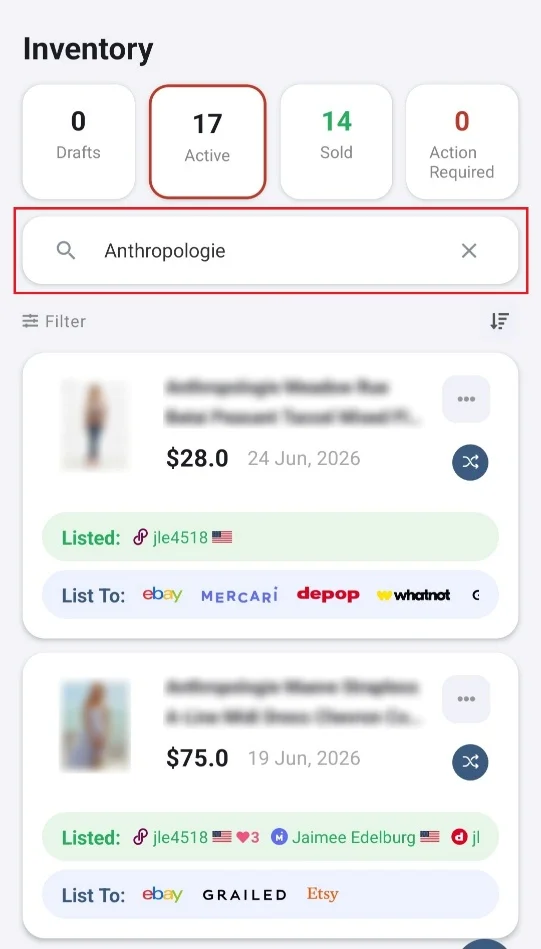
6. Once you find the item you want to crosslist, tap the “Crosslist” icon.
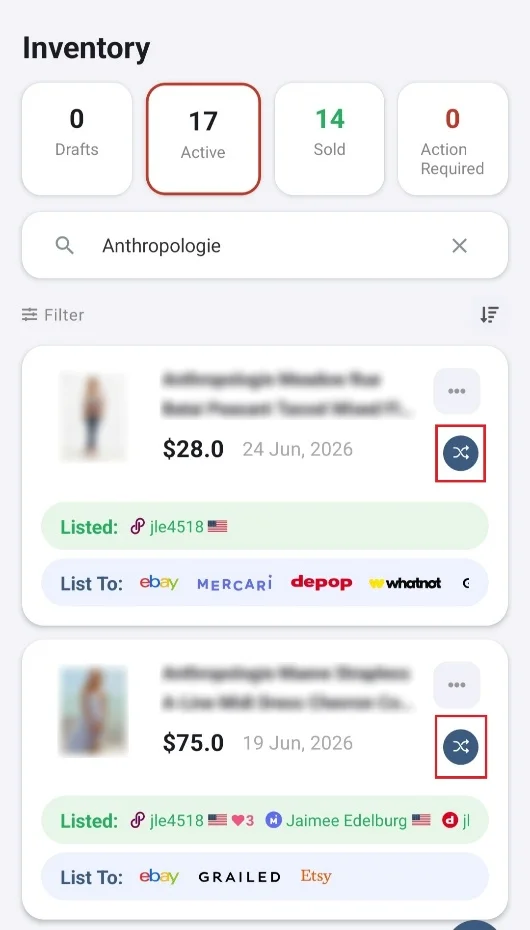
7. Tap “Publish To” and select “Poshmark.” Then, tap “Done.”
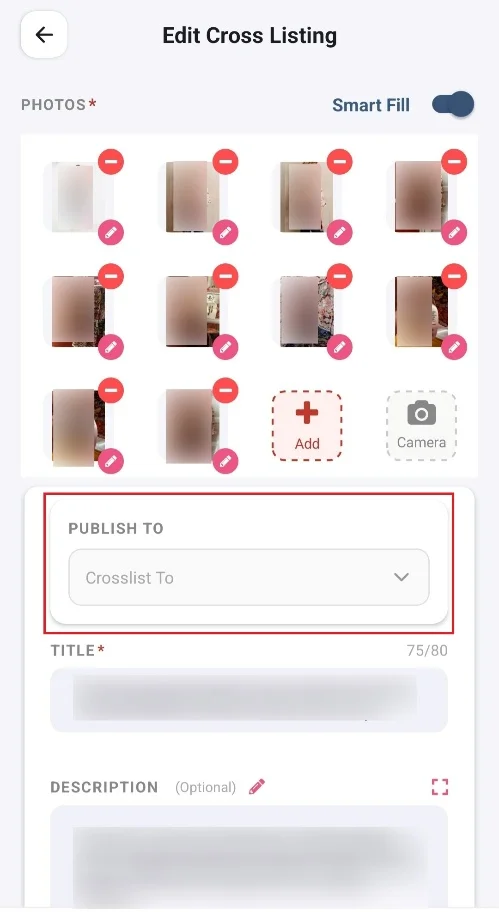
8. Make any changes to the listing if you want to, before crosslisting it.
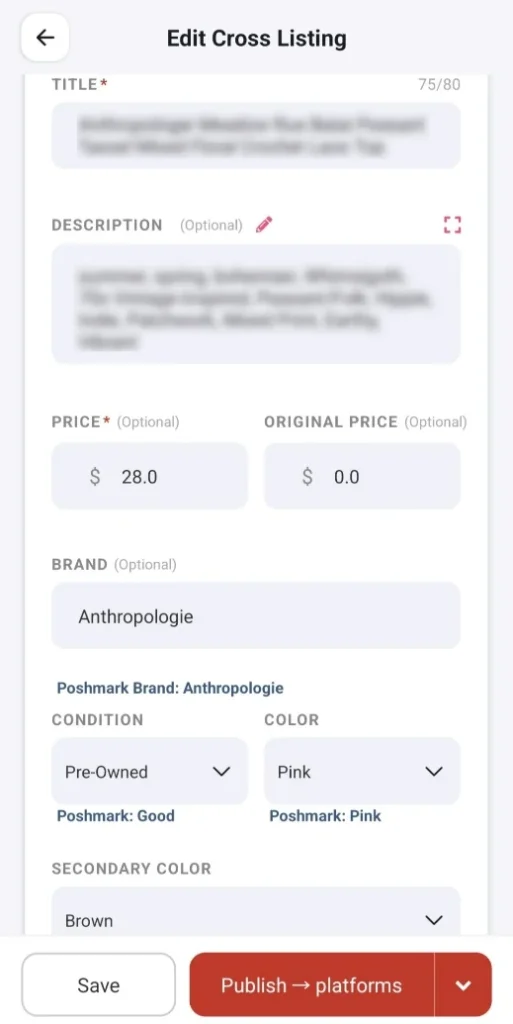
9. Tap the “Save” button if you want to save the listing as draft.
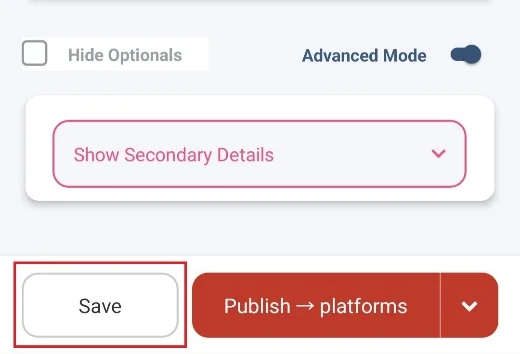
10. Tap the “Publish” button if you want to instantly crosslist the item to Poshmark.
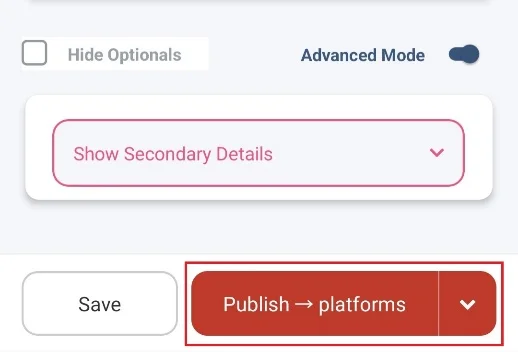
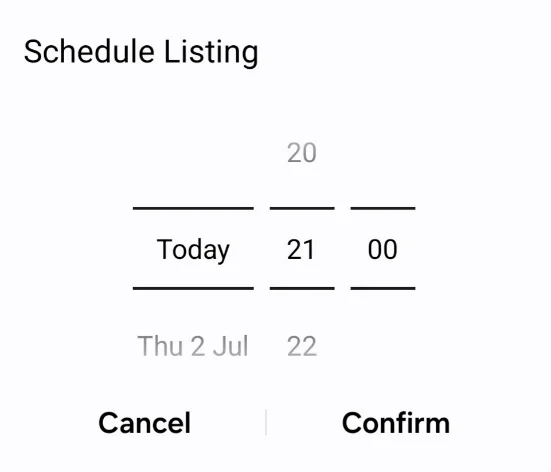
11. Tap the “Down Arrow” icon next to the “Publish” button if you want to schedule crosslisting. Set the “Date” and “Time.” Lastly, tap “Confirm.”
Why Sidekick Tools is the Best Crosslisting App for Resellers?
There are several crosslisting apps out there, so what makes Sidekick Tools stand out? A few things.
It supports 7 marketplaces. Beyond eBay and Poshmark, you can crosslist to Mercari, Depop, Etsy, Grailed, and Whatnot — all from one app.
It’s more than a crosslister. Sidekick Tools isn’t just a crosslisting app; it also has features like marketplace automation tools, bulk editing, relisting, auto offers, AI photo tools, and sales analytics in a single app.
It prevents double-selling automatically. The auto-delist feature within the Sidekick Tools app detects and removes sold items from every marketplace instantly, helping you avoid double selling.
It’s affordable. Sidekick Tools’ Crosslisting plans start at just $9.99 per month, and the 7-day free trial lets you test everything risk-free.
It’s built by resellers, for resellers. The development and support team behind Sidekick Tools includes real resellers who understand the online reselling business and its challenges.
Frequently Asked Questions (FAQs)
Is crosslisting from eBay to Poshmark allowed?
Yes. Both platforms allow you to sell the same item elsewhere. Just remove the listing everywhere once it sells.
Can I crosslist any eBay item to Poshmark?
You can only crosslist items from eBay to Poshmark that fit Poshmark’s categories, mainly fashion, shoes, accessories, beauty, and selected home items.
Will crosslisting cause double sales?
Only if you manage it manually and miss a sale. A crosslisting tool like Posh Sidekick auto-delists sold items, so this never happens.